
How to Auto-Execute a TradingView Strategy on a Futures Broker

Heads up: some links below are affiliate links. If you sign up through them we may earn a commission at no extra cost to you — it never changes what we recommend.
Yes — but the strategy still only fires a message; a bridge is what turns it into a live order. A Pine strategy() script can call TradingView's built-in alert() function itself, so a webhook fires the instant your backtested logic enters or exits. Point that webhook at a bridge like TradersPost (or a done-for-you app like the LPFT Copilot) and every signal becomes a real Tradovate order.
Don't want to wire alerts, webhooks, and a broker connection by hand? The LPFT Copilot runs a tested, rules-based strategy already connected to your own Tradovate account. Start a 7-day free trial.
Start your 7-day free trialA strategy isn't the same script as an indicator
If you want to automate a TradingView strategy instead of just watching an indicator paint lines on a chart, start with the distinction that actually matters: an indicator and a strategy are different kinds of Pine scripts, and only one of them can be backtested and wired to fire on its own terms.
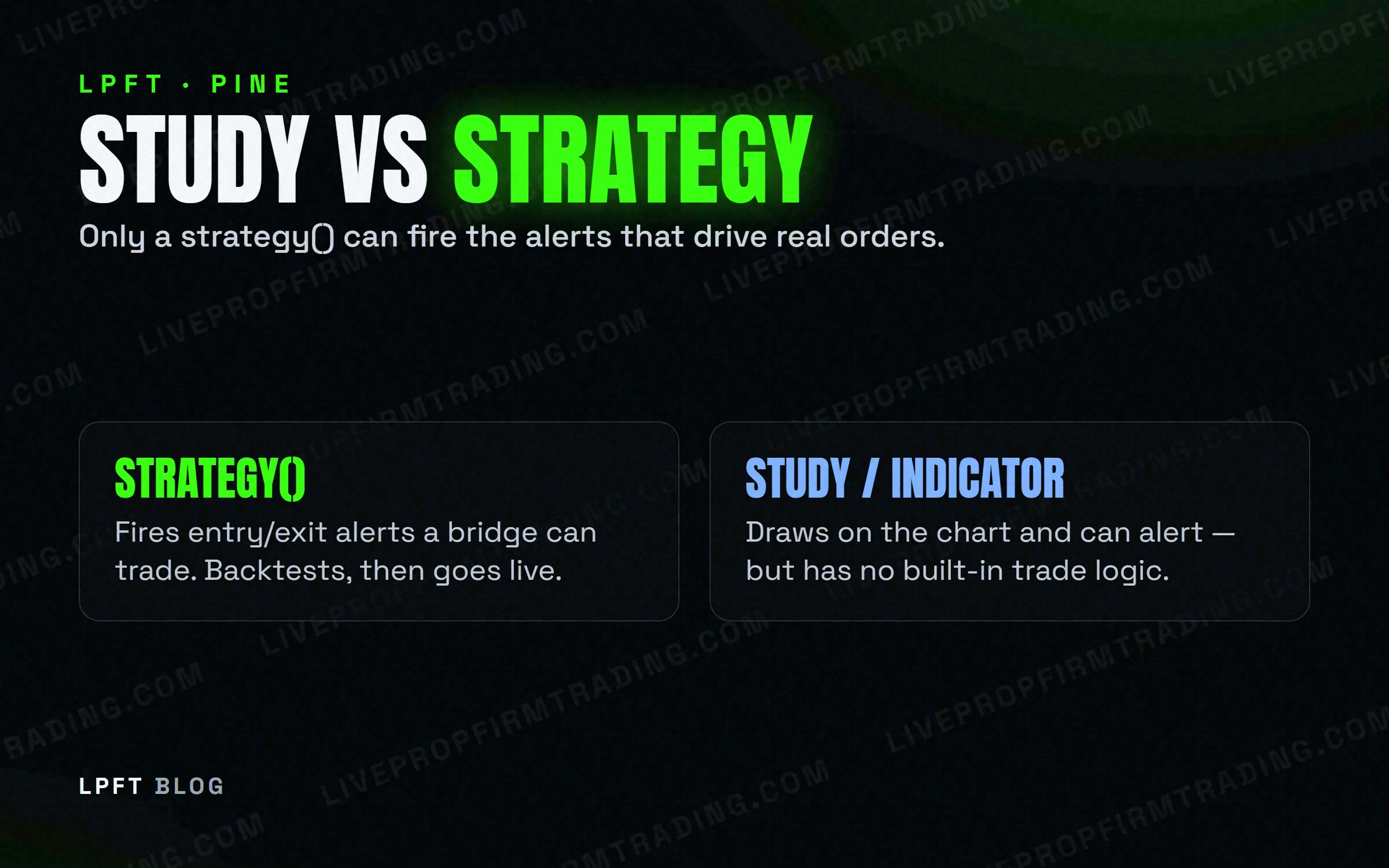
An indicator — written with indicator() (the newer name for the older study()) — plots values and can flag conditions, but it doesn't track a position. It has no concept of "I'm in a trade" or "I just exited." A strategy, written with strategy(), is different: it declares actual entries and exits in code (strategy.entry(), strategy.close(), and so on), and TradingView's Strategy Tester replays that logic against historical bars so you can see the trades it would have taken before any of it touches a live account.
An indicator's alert usually fires off a plotted condition — a line crossing a level. A strategy's alert can fire off the strategy's own internal state: the moment it enters, the moment it exits, and nothing in between. That precision is exactly what a broker bridge needs.
What actually lets you automate a TradingView strategy
TradingView alerts still work the same way no matter what kind of script created them: an alert only notifies — it doesn't place an order by itself. What's different with a strategy is where the alert condition comes from.
Inside a strategy's code, you can call Pine's built-in alert() function directly, typically right after an entry or exit fires. When you set up the alert on that script, you choose the condition often labeled "Alert() function calls only" (sometimes "Any alert() function call"). That tells TradingView to fire the alert exactly when the strategy's own logic calls for it — not whenever some unrelated plotted value crosses a threshold.
Everything after that point — the message format, the webhook URL, the two-factor and paid-plan requirements — is the same plumbing any TradingView alert needs. We cover that piece in full in How to Turn TradingView Alerts Into Real Automated Trades; nothing about it changes just because the alert came from a strategy instead of an indicator.
From backtest to a live order: the bridge you still need
However clean a strategy's historical results look in the Strategy Tester, it still can't place a trade by itself. TradingView is a charting and alerting platform — it holds no brokerage account and has no direct line to your broker. That gap gets closed by a bridge: a service that receives the webhook and submits the matching order.
The most common bridge for this is TradersPost, a cloud service that receives your TradingView webhook and routes the order to your broker. Tradovate is explicitly supported, and TradersPost offers a free 7-day trial before you commit to a paid tier. Connect it once to Tradovate, paste its webhook URL into your strategy's alert, and every alert() call becomes a live order from there on.
TradersPost takes the webhook from a Pine strategy's alert and routes it straight to your Tradovate account.
Try TradersPost →Guardrails before you flip a strategy live
A strategy that tested well is still just a hypothesis until it's trading real size. A few guardrails keep that transition from becoming an expensive lesson:
- Test in a demo account first. Confirm the alert fires, the message is correct, and the order lands where you expect before any real money is involved.
- Start with a single micro contract. Prove the whole chain — strategy, alert, bridge, broker — end to end before you scale size.
- Set a daily loss limit in Tradovate. A strategy follows its rules without flinching, including on a bad day; the account-level limit is what actually stops it.
- Treat backtest results as historical, not predictive. Live fills, slippage, and market conditions can behave differently than the bars the Strategy Tester replayed.
Confirm your firm allows automated trading through the Tradovate API before you connect anything — policies vary a lot by firm, and not every firm supports the Tradovate API at all.
If you'd rather not build the strategy yourself
Not everyone wants to write Pine code, manage a Strategy Tester, and wire a bridge by hand. The LPFT Copilot is a done-for-you app that already contains a tested, rules-based strategy — session windows, sizing, and a daily loss limit built in — connected directly to your Tradovate account. There's no strategy to write and no alert to configure.
Want the complete, numbered walkthrough from a blank TradingView chart to your first automated trade? See How to Trade Futures Automatically From a TradingView Chart.
Frequently asked questions
An indicator (indicator(), the newer name for study()) plots and calculates but doesn't model trades. A strategy (strategy()) declares entries and exits in code, and TradingView's Strategy Tester replays them against historical bars so you can see how the logic would have behaved before it touches a live account.
No. Like any TradingView script, a strategy can only fire an alert — a message. Placing the actual order still requires a webhook and a bridge (or an app like the LPFT Copilot) connected to your broker.
It's an alert condition that fires only when the script's own code calls Pine's built-in alert() function — typically right after an entry or exit — instead of whenever a plotted value crosses a level. It gives the strategy control over exactly when a message goes out.
Not necessarily — a backtest replays historical bars, and live markets, fills, and slippage can behave differently. Past performance is not indicative of future results, so test in a demo account before committing real size.
A paid TradingView plan with two-factor authentication on (for webhook alerts), a bridge or automation app connected to a broker, and a Tradovate account — directly, or through a prop firm that supports the Tradovate API.
Eli Y.
Eli builds and runs rules-based automated futures systems on TradingView and Tradovate, and helps traders take emotion out of the screen. He writes about futures automation, prop-firm evaluations, and the tools that connect them — plainly, and without hype.
Risk disclosure: Trading futures involves substantial risk of loss and is not suitable for everyone. This article is educational content only and is not financial advice or a recommendation to trade. Past performance is not indicative of future results. Some links are affiliate links.