
Can You Automate Trading on TradingView? What's Actually Possible

Heads up: some links below are affiliate links. If you sign up through them we may earn a commission at no extra cost to you — it never changes what we recommend.
Yes, partly. TradingView can fire alerts, paper-trade a strategy, and let you place manual orders through a connected broker panel — but it cannot submit a live automated order by itself. That last step needs a webhook alert and a separate bridge that talks to your broker. Everything up to the signal is TradingView's job; everything from the order onward belongs to the bridge.
The LPFT Copilot already contains the bridge and the broker connection — no webhooks to wire, no bridge to configure. Start a 7-day free trial and watch it place real orders on your own Tradovate account.
Start your 7-day free trialSo, can you automate trading on TradingView?
Can you automate trading on TradingView? Mostly — but not entirely, and the gap between “mostly” and “entirely” is exactly where most people trip. On its own, TradingView can already do more than a lot of traders realize: fire an alert off any indicator or strategy condition, let you paper-trade a strategy against simulated fills, and — on brokers with a built-in trading panel — let you click a manual buy or sell straight from the chart. None of that needs a single line of code or an outside service.
Alerts: real-time, but not an order
An alert is TradingView watching a condition you set — a price cross, an indicator flip, a full Pine strategy signal — and telling you the moment it's true. It can pop up on your screen, ping your phone, or email you. What it can't do is anything past that ping. The alert's whole job ends the instant it notifies you.
Paper trading: a full dry run, zero risk
TradingView's paper trading mode lets you run a strategy against simulated fills using a demo balance, so you can watch how it would have behaved without risking a cent. It's genuinely useful for sanity-checking an idea before you touch a live account — but it stops at simulation. Nothing in a paper account ever reaches a real broker.
Manual broker-panel orders: your click, not the chart's
Some brokers plug directly into TradingView's trading panel, which lets you click Buy or Sell right from the chart instead of switching to another app. That's a real, live order — but you're still the one clicking it, every time. The alert or the strategy didn't place it; you did, using the chart as a shortcut.
The line TradingView won't cross by itself
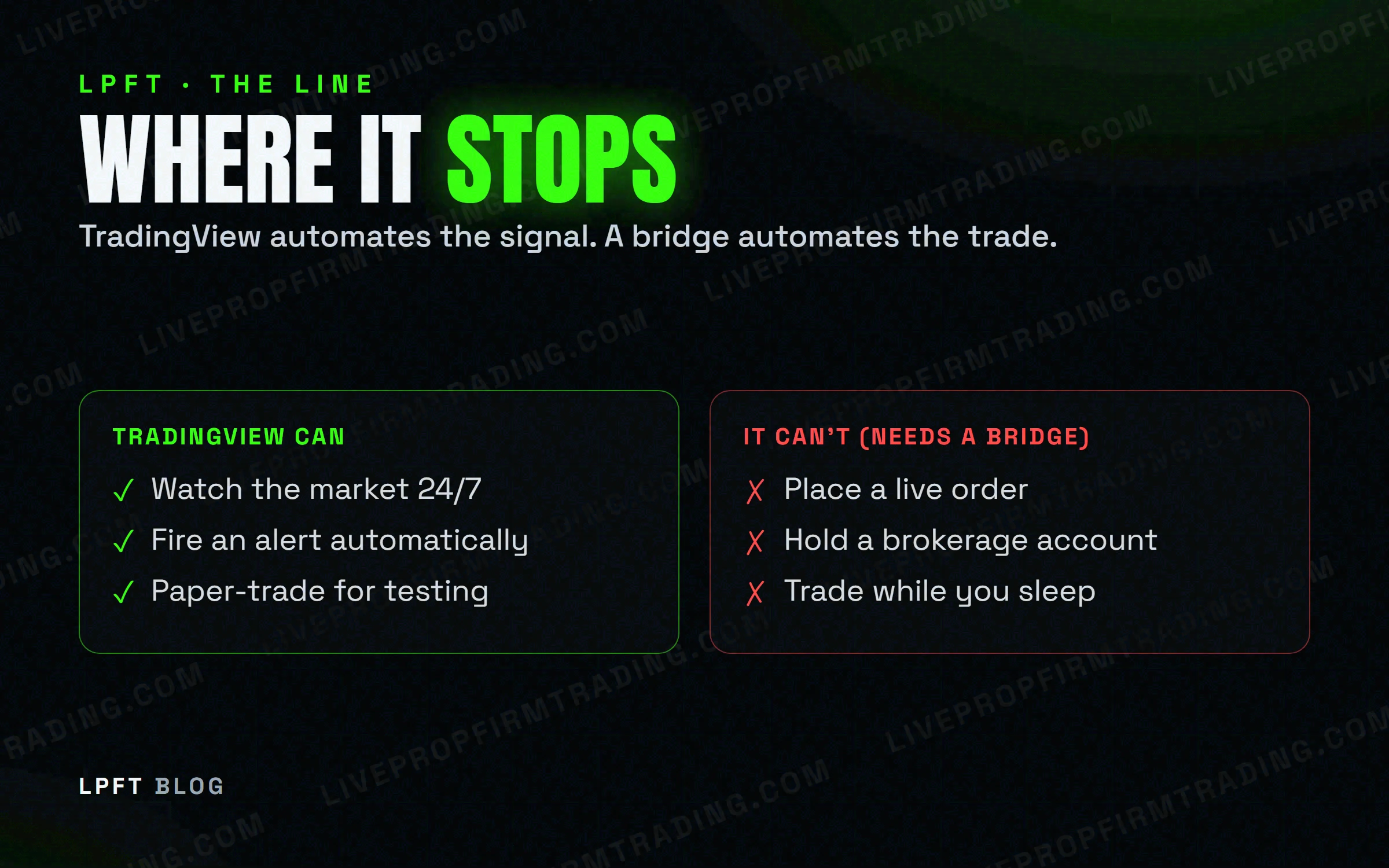
No matter how good the alert or the underlying strategy, TradingView never holds a live brokerage account and never submits an order automatically. It's a charting and alerting platform — it has no execution path to your broker built in. That's the actual boundary, and it's worth seeing laid out plainly:
| Capability | On TradingView alone | With a bridge |
|---|---|---|
| Fire an alert | Yes — instantly | Yes |
| Paper-trade a strategy | Yes — simulated only | Not needed |
| Click a manual order | Yes — a human clicks it | Not needed |
| Place a live automated order | No | Yes — bridge to broker |
Everything above the bottom row is TradingView doing its job well. The bottom row is the one thing it was never built to do, and it's also the only row that actually automates a trade. There's a reason for that, not just a limitation: TradingView is built to analyze markets and manage alerts, not to custody funds or route orders to an exchange — that part belongs to your broker and whatever sits between the two.
How a bridge crosses that line
The mechanism is simpler than it sounds. A webhook alert is TradingView sending your alert's message as an HTTP POST to a URL you provide, the instant the condition triggers. That's the entire trick — no polling, no extra app watching your chart, just a message going out the moment it's true.
TradingView gates this pretty tightly, on purpose. Webhook alerts only fire once two-factor authentication is switched on for your account, and they're only available on a paid plan — Essential and up, not the free Basic tier. Both requirements exist so a webhook URL, which can end up triggering real orders downstream, can't be added by anything less than a verified, paying account holder.
What actually happens on the receiving end of that POST — the message anatomy, the security details, and why it sometimes goes nowhere — is its own topic. We cover it in full in TradingView webhooks, explained.
The common pattern: TradersPost to Tradovate
The most common way this gets wired up is a cloud bridge called TradersPost. It receives the webhook TradingView sends, reads the message, and routes a matching order to your connected broker — Tradovate is explicitly supported. TradersPost offers a free 7-day trial plus paid tiers beyond that.
TradersPost bridges a TradingView alert to a live Tradovate order. Setup takes an afternoon.
Try TradersPost →For the full step-by-step — writing the alert message, pasting the webhook URL, connecting Tradovate — see trading futures automatically from TradingView.
Or skip the wiring entirely
If none of the above sounds like something you want to build, you don't have to. The LPFT Copilot already contains the bridge and the broker connection — you download it, activate a license, and connect Tradovate. No alert message to write, no webhook URL to paste, no separate bridge account to manage.
Futures carry substantial risk of loss whether a human or a machine is clicking. Test any automated setup in a demo account first and set a daily loss limit before it ever touches a live one.
Frequently asked questions
No. TradingView is a charting and alerting platform — an alert only notifies you, it never submits an order on its own. Turning a signal into a live trade requires a webhook alert and a separate bridge that talks to your broker.
On its own, TradingView can fire an alert off any indicator or strategy condition, let you paper-trade a strategy with simulated fills, and — on brokers with a built-in trading panel — let you click a manual buy or sell yourself. All three stop at your screen; none of them place a live order automatically.
It's TradingView sending your alert message as an HTTP request to a URL you provide the moment the condition triggers. That URL points at a bridge, which is the piece that actually acts on the message. We break the mechanics down fully in TradingView webhooks, explained.
No. The alert message is a short block of text a bridge provides as a template; you paste it in and adjust the values. Connecting that bridge to a broker like Tradovate is a one-time, no-code setup.
No. Paper trading simulates fills on a demo account so you can watch a strategy work without risking money — it still doesn't send a live order anywhere. Automated trading requires a webhook and a bridge connected to a real, funded broker account.
Eli Y.
Eli builds and runs rules-based automated futures systems on TradingView and Tradovate, and helps traders take emotion out of the screen. He writes about futures automation, prop-firm evaluations, and the tools that connect them — plainly, and without hype.
Risk disclosure: Trading futures involves substantial risk of loss and is not suitable for everyone. This article is educational content only and is not financial advice or a recommendation to trade. Past performance is not indicative of future results. Some links are affiliate links.