
Do You Need a VPS for Automated Trading? When It Actually Matters

Heads up: some links below are affiliate links. If you sign up through them we may earn a commission at no extra cost to you - it never changes what we recommend.
Usually not. If TradingView fires the alert and a hosted cloud bridge places the order, no machine of yours is in the order path, so a VPS keeps nothing alive. A VPS matters only when a desktop platform or a script you host has to stay running. Check your firm first, because Topstep prohibits one outright.
The LPFT Copilot runs a tested, rules-based method on your own Tradovate account without asking you to rent or maintain a server. Start a 7-day free trial.
Start your 7-day free trialThe answer depends on one question, not on your budget
Search this topic and almost every result is published by a company that rents virtual servers. That does not make them wrong, but it does mean nobody in the top results has any reason to tell you when the answer is no.
The question that decides it is simply this: when the signal fires, whose computer has to be switched on for the order to reach the broker? If the answer is nobody's, a VPS is solving a problem you do not have. If the answer is yours, a VPS is solving a real one.
A virtual private server is a slice of a machine in a data centre that you rent and administer. It has backup power, redundant networking and no lid to close. Everything it gives you is uptime. It is not a speed product, whatever the landing page suggests.
Where the order actually comes from
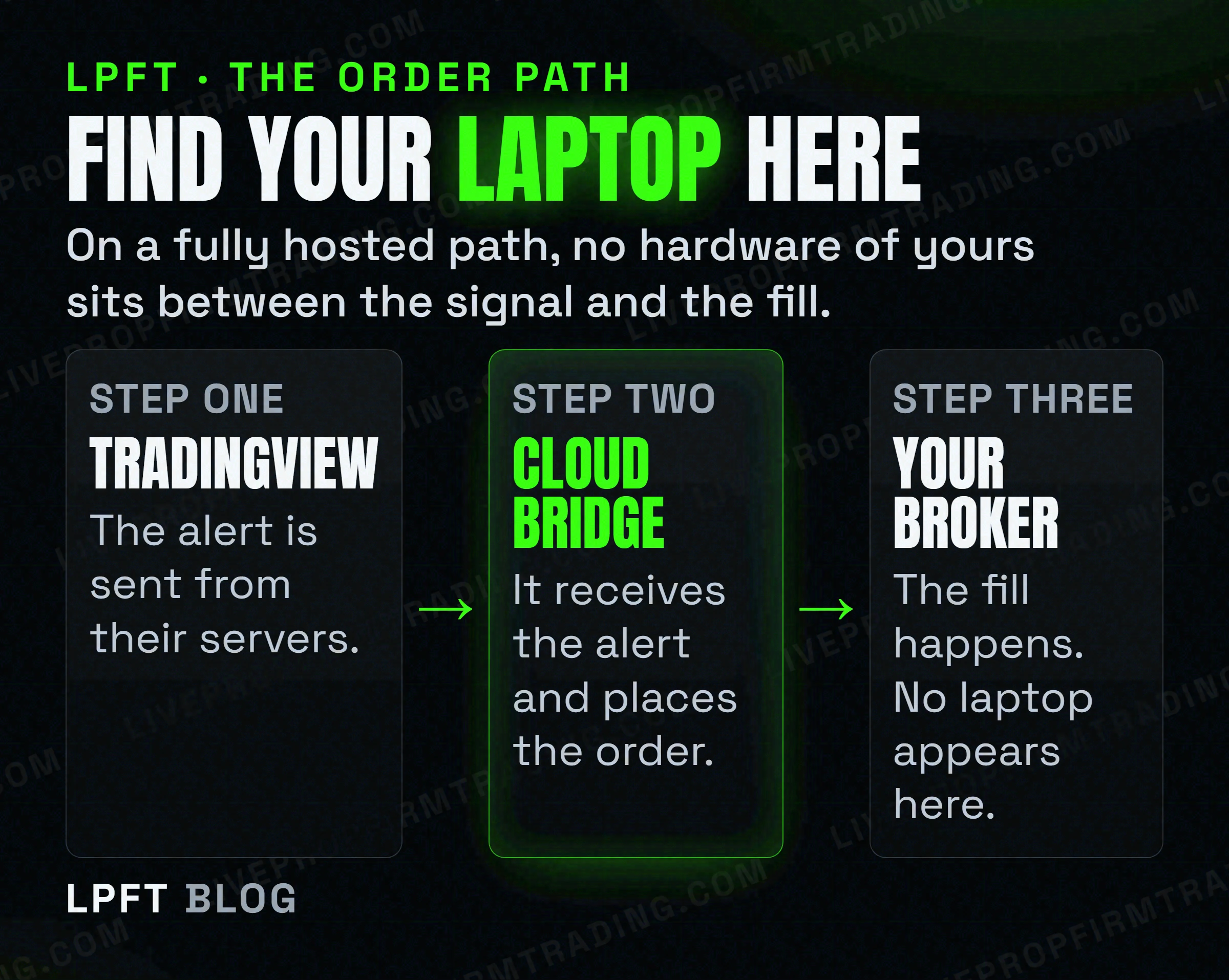
A TradingView webhook alert is not sent by your browser. TradingView sends it from their own servers, which is why their documentation lists the fixed IP addresses the requests arrive from and why it can only reach ports 80 and 443. Their support pages also note a three-second timeout on the request and that two-factor authentication must be enabled before webhook alerts are allowed at all.
The alert then has to land somewhere that can place an order. If that somewhere is a hosted service, it is already running in a data centre. TradersPost, for example, describes itself as software as a service hosted in a shared cloud environment, and states that TradingView alerts and TradersPost both work in the cloud and independently of your computer.
Put those two facts together and the conclusion is unavoidable. Alert leaves TradingView, lands on a hosted bridge, order goes to the broker. Your laptop is a screen you use to configure it, not a component. Renting a second computer to sit beside a path it is not on changes nothing except your monthly costs.
If that path itself is unfamiliar, the mechanics are laid out in TradingView webhooks explained and how to turn TradingView alerts into real automated trades.
The case where a VPS genuinely earns its money
There is a real version of this, and it is worth being precise about it rather than dismissing the whole idea.
A VPS matters when software on a machine you own has to stay running for the strategy to work. The clearest example is a desktop platform like NinjaTrader. Its own support material states that locally held orders only work while the platform is up and running and do not continue working on a server, and that the platform cannot submit or manage stop-loss or profit-target orders while it is shut down.
- You run a desktop platform that executes locally. The platform has to be awake, so the machine has to be awake, so a data centre beats a laptop on a kitchen table.
- You wrote your own bridge. If a script of yours receives the webhook and calls the broker API, that script needs a permanent address and permanent power. That is exactly what a VPS is for.
- Your home connection is genuinely unreliable. Not inconvenient. Unreliable in a way that has already cost you a managed exit.
Outside those three, the honest answer is that you are buying insurance against a failure that cannot occur on your setup.
TradersPost receives TradingView alerts server-side and routes them to Tradovate, so there is no script of yours to keep alive and no server to patch. It is the same reason most people who think they need a VPS turn out not to.
Look at TradersPost →The part the VPS reviews leave out entirely
Here is the thing we could not find stated anywhere in the top results for this question, and it is the one that can actually cost you an account rather than a subscription fee.
Some funded-account firms prohibit a VPS. Not discourage. Prohibit.
| Firm | What their own page says about a VPS |
|---|---|
| Topstep | All trading activity must originate from your personal device, and the use of a VPS, VPN or remote server is prohibited by their terms of use. On third-party servers they put it plainly: your server can watch and record, but it cannot trade. |
| TradeDay | Prohibits using a VPN or VPS to mask the location of the trading. Note the wording, which is narrower than a blanket ban and is aimed at concealing where you are. |
| MyFundedFutures | Their prohibited-practices page does not mention a VPS at all. We are not going to tell you it is permitted or forbidden on that basis. Ask them. |
Topstep is the striking one, because it also states that custom automated strategies and bots are allowed through its API, subject to platform rules and a prohibition on high-frequency trading. So automation is fine and the server you would run it on is not. That combination is easy to miss and expensive to discover late.
We have deliberately left out firms whose rules pages we could not load directly, including Apex Trader Funding and Take Profit Trader. Their policies may be stricter still. A policy quote copied from a review site is worth nothing to you if it is out of date, so read their current pages yourself.
For the broader version of which firms permit automation in the first place, start with which prop firms actually allow automated trading.
How to decide in about two minutes
- Ask where the bridge runs. If it is a hosted service, stop here. You do not need a VPS and renting one changes nothing.
- Ask whether a desktop platform must stay open. If yes, you need something always on, and a VPS is the normal answer.
- Read your firm's rules before you rent anything. Search their help centre for the words VPS, VPN and remote server separately. They are often governed by different sentences on different pages.
- If you trade your own account, ignore the rule question. It only applies where somebody else owns the account and sets terms on it.
- Do not buy one for speed. A retail futures setup is not latency-bound in any way a rented server improves.
The wider set of assumptions worth checking before you spend money on any of this is in seven trading-bot myths that quietly cost beginners money, and the choice between doing it yourself and not is in manual versus automated trading.
Frequently asked questions
Usually not. If TradingView fires the alert from its own servers and a hosted cloud bridge places the order with your broker, no machine of yours sits in the order path, so there is nothing for a VPS to keep running. A VPS matters when a desktop platform or a script you host has to stay on.
Not meaningfully for a retail futures setup. A VPS sells uptime rather than speed. If a method genuinely depends on a few milliseconds of latency, the limiting factor is the whole infrastructure around it rather than where a small script happens to be hosted.
At Topstep, yes. Their page states that all trading activity must originate from your personal device and that the use of a VPS, VPN or remote server is prohibited by their terms of use. TradeDay prohibits using a VPN or VPS to mask the location of the trading, which is narrower wording. Check your own firm before renting anything.
No. TradingView runs in your browser and its webhook alerts are sent from TradingView servers, not from your computer. Their documentation lists the fixed IP addresses those requests come from. Closing your laptop does not stop an alert from firing.
When a desktop platform has to stay running for orders to be managed, or when you wrote the bridge yourself and it needs a permanent address and permanent power. NinjaTrader states that its locally held orders do not continue working on a server and that it cannot manage stop-loss or profit-target orders while shut down, which is exactly the gap a VPS closes.
Webhook notifications start at the Essential plan. The free Basic plan does not include them. TradingView also requires two-factor authentication to be enabled before webhook alerts are allowed, and only accepts requests on ports 80 and 443.
Eli Y.
Eli builds and runs rules-based automated futures systems on TradingView and Tradovate, and helps traders take emotion out of the screen. He writes about futures automation, prop-firm evaluations, and the tools that connect them - plainly, and without hype.
Risk disclosure: Trading futures involves substantial risk of loss and is not suitable for everyone. This article is educational content only and is not financial advice or a recommendation to trade. Past performance is not indicative of future results. Some links are affiliate links.