
How Do Trading Bots Work? A Plain-English Guide

Heads up: some links below are affiliate links. If you sign up through them we may earn a commission at no extra cost to you - it never changes what we recommend.
A trading bot works by running one loop continuously: it watches live market data, checks each update against a set of rules, and - when a rule is met - automatically sends an order to your broker. After that it manages the trade: moving the stop, taking the target, or closing out. The “bot” is really three parts wired together - a data feed, a rule engine, and a broker connection - repeating that watch-decide-act loop thousands of times a session.
The LPFT Copilot handles the whole watch-decide-act-manage loop for you, on your own account. Start a 7-day free trial and see it run on your own account.
Start your 7-day free trialA trading bot is three parts wired together
Strip away the mystique and every trading bot is the same three pieces: something that feeds it prices, something that decides what to do, and something that places the order. Get those three talking to each other and you have automation. Everything else is detail.
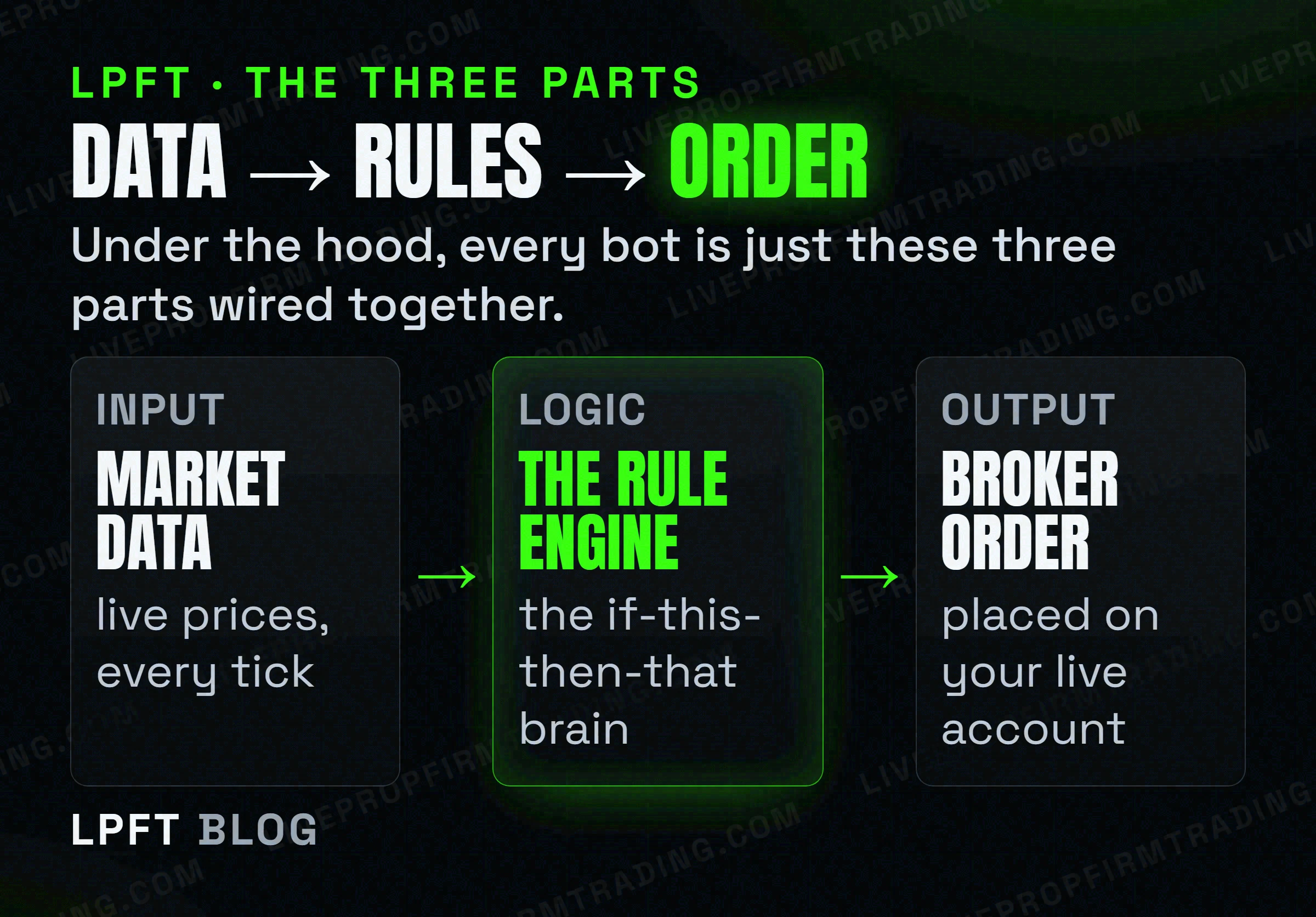
1. The data feed - its eyes
The bot needs to see the market in real time: the current price, and often volume, recent bars, or indicator values. This is where charting platforms like TradingView come in - they provide the live view and can fire off a message the moment something happens.
2. The rule engine - its brain
This is the “if this, then that” logic you define: the conditions to enter, how big to trade, where the stop and target go, and when to get out. The engine doesn’t guess - it simply checks the incoming data against your rules and waits for a match.
3. The broker connection - its hands
When a rule fires, the decision has to become a real order on a real account. A broker connection (to a platform like Tradovate) is what actually submits the buy or sell. Without this last piece, a bot can decide all day and never place a single trade.
The loop, start to finish
Put the three parts together and the bot runs a simple cycle, non-stop, for as long as it’s on:
- Watch. New market data arrives - a price tick, a closed bar, an indicator update.
- Decide. The rule engine checks that update against your conditions. No match? It waits for the next one. Match? It moves to the next step.
- Act. The bot sends the order through the broker connection - the trade is now live on your account.
- Manage. While the trade is open, the bot keeps watching: trailing the stop, taking profit at the target, or closing at a time-based exit. Then it goes back to watching.
A good bot is repetitive and unexciting - the same loop, executed the same way, every time. That machine-like sameness is exactly the discipline most traders struggle to keep by hand.
Two ways people actually build this
In practice there are two common routes to wiring those three parts together.
Route A - a bridge you assemble
You create the rules as an alert on TradingView, then use a bridge service to catch that alert and route it to your broker. It’s flexible and you keep full control - but you own every piece, including the risk settings. We walk through this in turning TradingView alerts into real trades.
TradersPost is the bridge most people use to connect a TradingView alert to a live Tradovate order. There’s a free trial to test the plumbing.
Try TradersPost →Route B - a done-for-you app
The other route skips the wiring entirely: a single app that already contains the data handling, the tested rules, and the broker connection. You activate it, connect Tradovate, and the whole loop runs for you - with the risk limits and session windows already built in.
The LPFT Copilot runs the whole stack for you on Tradovate - start a 7-day free trial and watch it work.
Start your 7-day free trialFrequently asked questions
When your rule’s conditions are met, the bot sends an order through a broker connection - for example to Tradovate - which submits it to the market like any other order. The bot doesn’t hold your money; it just instructs your broker account to buy or sell.
Not necessarily. Building one from scratch can involve scripting, but many people use no-code bridges (you paste a template) or a done-for-you app where the logic is already built. You define the behaviour, not the code.
Three things: a live data feed (usually a charting platform), a rule engine that decides what to do, and a broker connection that places the orders. Some setups also use a VPS so the bot keeps running when your computer is off.
Only if it runs somewhere that stays on. Cloud bridges and done-for-you apps can keep working; a script on your laptop stops when the laptop sleeps. This is why some traders run their automation on a VPS.
Yes. A bot follows its rules without judgment, so a flawed rule or a missing risk limit can lose money fast. Trading futures carries a substantial risk of loss. Always set a hard daily loss limit and test in a demo before going live.
Eli Y.
Eli builds and runs rules-based automated futures systems on NinjaTrader and Tradovate, and helps traders take emotion out of the screen. He writes about futures automation, prop-firm evaluations, and the tools that connect them - plainly, and without hype.
Risk disclosure: Trading futures involves substantial risk of loss and is not suitable for everyone. This article is educational content only and is not financial advice or a recommendation to trade. Past performance is not indicative of future results. Some links are affiliate links.