
Set and Forget Trading: The "Forget" Part Is the Problem

Heads up: some links below are affiliate links. If you sign up through them we may earn a commission at no extra cost to you - it never changes what we recommend.
Set and forget works for a single trade. It rarely works for a whole system. A standard TradingView alert stops after two months, futures contracts roll, deliveries get cancelled, and some prop firms prohibit hands-off trading by name. Expect to supervise an automated system, not to walk away from it.
The LPFT Copilot runs a tested, rules-based method on your own Tradovate account and keeps the connection, the alert and the order path under supervision. Start a 7-day free trial.
Start your 7-day free trialTwo different things are called set and forget
The phrase gets used for two ideas that have almost nothing to do with each other, and most arguments about it are really people defending different definitions.
The first is trade-level. You decide the entry, the stop and the target before the trade is live, you place all three, and then you refuse to improvise while it is open. That is a discipline technique and a good one. The forgetting is deliberate and it lasts for the length of one trade.
The second is system-level. You build an automated system, point it at an account and stop looking. That is the version sold in most advertising, and it is the version this article is about, because it collides with four things that are written down in public and one thing that gets accounts closed.
Automation removes the need to be present at the moment of execution. It does not remove the need to be present at all. Those two sentences get collapsed into one another constantly, and the gap between them is where a quiet month of nothing happening lives.
At some firms, forgetting is the part that is banned
If you trade your own money, hands-off is a judgement call. On a funded account it is a compliance question, and the answers are not consistent between firms. All three quotes below were read on the firm's own domain on 22 September 2026.
Alpha Futures is the clearest case, because it bans the concept rather than the tooling. Their prohibited practices page states that "The use of AI, bots, and other automated trading mechanisms is strictly prohibited across all account types", and separately prohibits "Any form of hands-off, continuous day and night trading, or any other type of full automation". Semi-automated trading is allowed, but only where "the user manually places, monitors, and manages the trade".
Topstep starts from the opposite position and then removes the hands-off part anyway. "Custom automated strategies and bots are allowed via the TopstepX / ProjectX API, subject to standard platform rules and our prohibition on high-frequency trading (HFT)." Then: "All trading activity must originate from your personal device. The use of VPS, VPNs, and remote servers is prohibited by Topstep's Terms of Use." A private server may store data, backtest and run read-only dashboards, but as their page puts it, "your server can watch and record, but it cannot trade".
Topstep also states that "Orders executed via the API are final, no review, adjustment, or reversal." An automated order placed by a system nobody was watching is not a draft. It is the trade.
TradeDay targets the origin of the system rather than the attention paid to it. They prohibit "Using trading bots or Automated Trading Systems (ATS) purchased from a third party. Or multiple users using the same trading bots and ATS's", state that "We do not allow strategies that produce more than 200 trades in a day", and prohibit "Using a VPN or VPS to mask the location of the trading". Their page adds that "All profits generated from prohibited trade practices will be confiscated".
Three firms, three different objections, and none of them is really an objection to automation as such. Read your own firm's clause word for word before you connect anything. How prop firms define HFT and running a bot on a prop firm account go through the rest of them.
LPFT only supports prop-firm connections that run through Tradovate. You can point our tools at a firm's own API key at your own discretion, but a guarantee claim requires your full broker statement where applicable. Not every prop firm supports the Tradovate API, so always check yours first.
Four things that stop a hands-off system without telling you
Each of these is published by the company responsible. None of them sends you a message when it happens, which is precisely why they belong on a list.
- The alert reaches its expiry. TradingView states that "Alerts have an expiration period, after which they will automatically stop. The maximum lifetime of a standard alert is two months. However, for Premium and Ultimate plans, an open-ended option is available, allowing the alert to remain active indefinitely." On the cheaper tiers, the thing driving your system has a shelf life measured in weeks.
- The alert is deactivated for being quiet. TradingView also switches an alert off when all three of these are true at once: it was created more than a year ago, it has not triggered for over a year, and it has not been edited for over a year. A selective setup is the most likely kind to qualify.
- A delivery is cancelled. "If a remote server takes longer than three seconds to process a request, the request will be cancelled", and TradingView states plainly that "Webhooks may occasionally fail to reach the specified URL". The Webhook status column in the alert log is where that shows up.
- The contract rolls. Futures expire. The symbol your chart points at stops being the one with the volume in it, and a system aimed at a thinning month behaves very differently from the one you tested. CFTC researchers noted that manual participation in futures rises during roll periods, which tells you something about who is paying attention at exactly that moment.
Notice what is missing from that list. Not one of them is a market event. A flawless strategy, running on a healthy account, with a broker that never disconnects, still meets all four. Why automated traders fail goes through the same failures from the other direction.
TradingView states that the open-ended alert option, which keeps an alert active indefinitely instead of ending it at two months, is available on the Premium and Ultimate plans. Webhook notifications themselves start at the Essential plan and are not on the free Basic plan.
See TradingView plansWhat automation genuinely takes off your hands
This is worth stating plainly, because the honest version is still a good deal. It just is not the one in the advertising.
- It removes hesitation at the moment of execution. The order goes in at the signal, at the size in the rules, every time, including the signal that arrives after three losers.
- It removes the missed click. The setup that happened while you were driving is now taken or not taken on the rules rather than on your schedule.
- It removes improvisation inside a trade. The stop does not get widened because this one feels different.
- It removes the quiet hours problem. A session you cannot sit through is no longer a session you sit out.
And the other column, which matters more:
- It does not supply an edge. Automation executes a rule set faster and more faithfully than you do. If the rule set does not work, it will now not work reliably.
- It does not remove drawdown. A losing run arrives on schedule and looks exactly the same as a broken system from the inside. Knowing in advance what a normal bad week looks like is the only defence.
- It does not remove you. Your job changes from placing trades to supervising a process. That is a smaller job, not a finished one.
- It does not read your firm's rules for you. The rules change, and they are not the same at the next firm.
If the comparison itself is the open question, manual versus automated trading lays out where each one actually wins.
The ten minute routine that keeps it honest
None of this needs a dashboard or a monitoring stack. It needs a short habit, done at a fixed time, because the failures above are all silent and a silent failure is only ever caught by a routine.
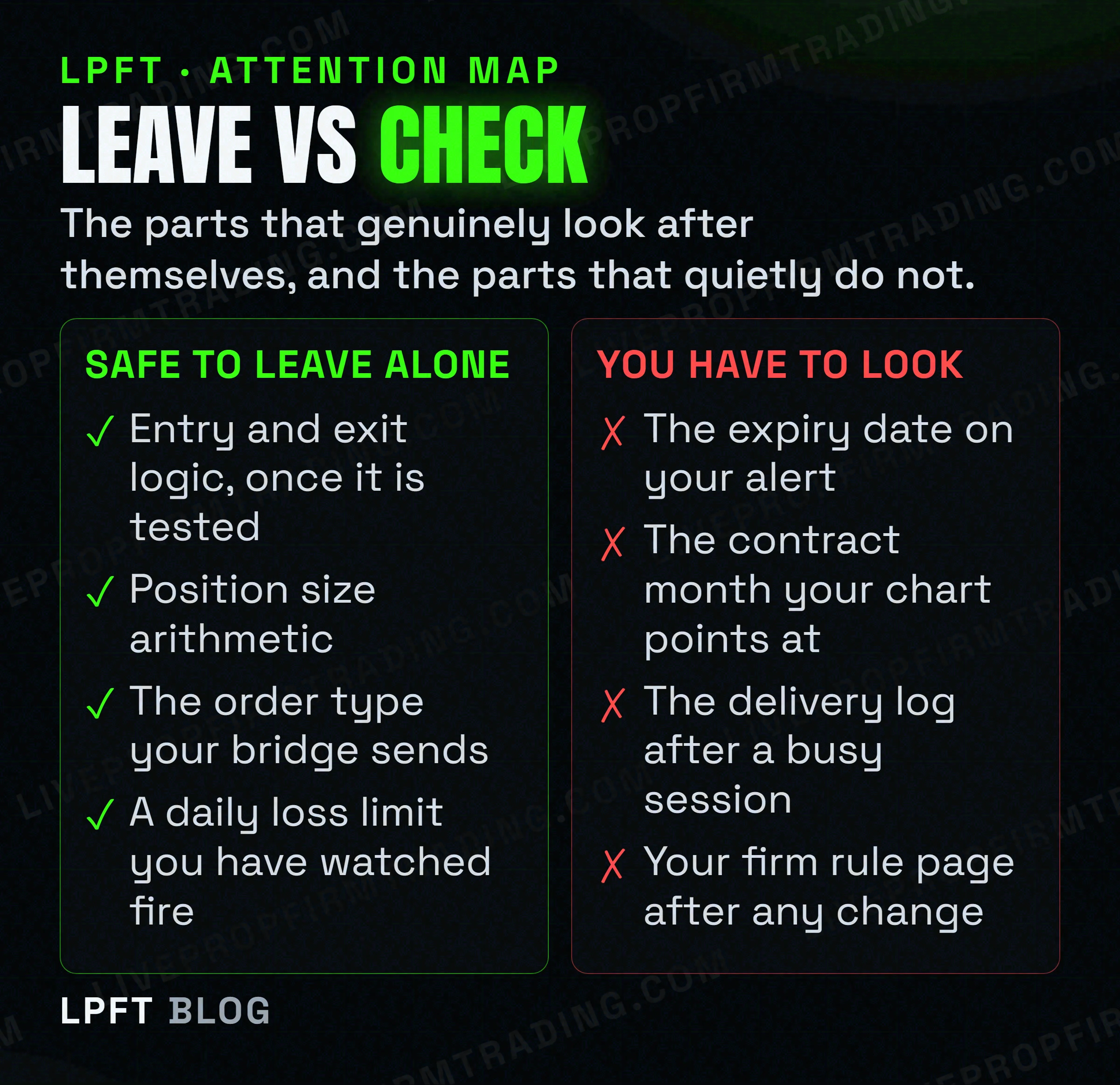
- Daily, at the same point in the session. Is the alert still active, is the bridge connected, and does the position the broker shows match the position you think you have. That is three glances.
- Weekly. Open the alert log and read the delivery column for failures. Compare a handful of the broker's actual fill prices with what the chart showed at the signal. The gap between those two numbers is the only honest measure of your slippage.
- Monthly. Check the expiry date on every alert that matters and renew the ones approaching two months. Check which contract month your chart is pointed at, and when it rolls next.
- After any change at all. New platform, new firm, new account type, new bridge. Re-read the automation clause. This is the check that saves an account rather than a week.
A reasonable way to think about the whole thing is that you are not forgetting the system, you are being relieved of the screen. The screen was the expensive part. The ten minutes are cheap.
Two more honest notes. Futures trading involves a substantial risk of loss and is not suitable for everyone, and a supervised automated system carries exactly the same market risk as an unsupervised one. Supervision does not reduce losses. It reduces the losses that had nothing to do with the market, which is a smaller claim and a true one.
The LPFT Copilot runs the whole stack for you on Tradovate - start a 7-day free trial and watch it work.
Start your 7-day free trialFrequently asked questions
At the level of a single trade, yes. Deciding the entry, stop and target before the trade is live and then refusing to improvise is a recognised discipline technique. At the level of a whole automated system it works much less well, because alerts expire, futures contracts roll, webhook deliveries are sometimes cancelled, and several prop firms prohibit unattended trading outright.
In practice yes, and at some prop firms it is a written requirement rather than a preference. Alpha Futures prohibits any form of hands-off, continuous day and night trading and permits semi-automated trading only where the user manually places, monitors and manages the trade. Topstep requires that all trading activity originate from your personal device. Even with no rule involved, alerts and deliveries fail quietly enough that a short daily check is worth the time.
TradingView states that alerts have an expiration period after which they automatically stop, and that the maximum lifetime of a standard alert is two months. Premium and Ultimate plans offer an open-ended option that keeps an alert active indefinitely. Alerts are also deactivated automatically when they are over a year old, have not triggered for over a year and have not been edited for over a year.
Technically yes if the path runs in the cloud, but check your account rules first. Alpha Futures prohibits hands-off continuous day and night trading by name. Topstep allows bots through its API while prohibiting VPS, VPN and remote servers, stating that a private server can watch and record but cannot trade. The market risk of an overnight position is a separate question again.
It removes hesitation at the moment of execution, the trade missed because you were away from the screen, improvisation inside an open trade, and the sessions you cannot physically sit through. It does not supply an edge, remove drawdown, or remove your responsibility to supervise the system and to know your firm's rules.
A workable routine is daily, weekly and monthly. Daily, confirm the alert is active, the bridge is connected and the broker position matches what you expect. Weekly, read the delivery log for failures and compare real fills with chart prices. Monthly, check alert expiry dates and the contract month. Re-read your firm's automation clause after any platform or account change.
Eli Y.
Eli builds and runs rules-based automated futures systems on TradingView and Tradovate, and helps traders take emotion out of the screen. He writes about futures automation, prop-firm evaluations, and the tools that connect them - plainly, and without hype.
Risk disclosure: Trading futures involves substantial risk of loss and is not suitable for everyone. This article is educational content only and is not financial advice or a recommendation to trade. Past performance is not indicative of future results. Some links are affiliate links.