
Why Automated Traders Fail: It Is Rarely the Strategy

Heads up: some links below are affiliate links. If you sign up through them we may earn a commission at no extra cost to you - it never changes what we recommend.
Most automated traders fail upstream of the strategy. The backtest assumed fills it never got, the alert expired on its own after two months, the webhook never arrived, the simulator was generous, or a prop firm rule closed the account. Four of those five would break a perfect system.
The LPFT Copilot runs a tested, rules-based method on your own prop firm or Tradovate account and owns the signal, the connection and the order path. Start a 7-day free trial.
Start your 7-day free trialAlmost nothing on this list is the strategy
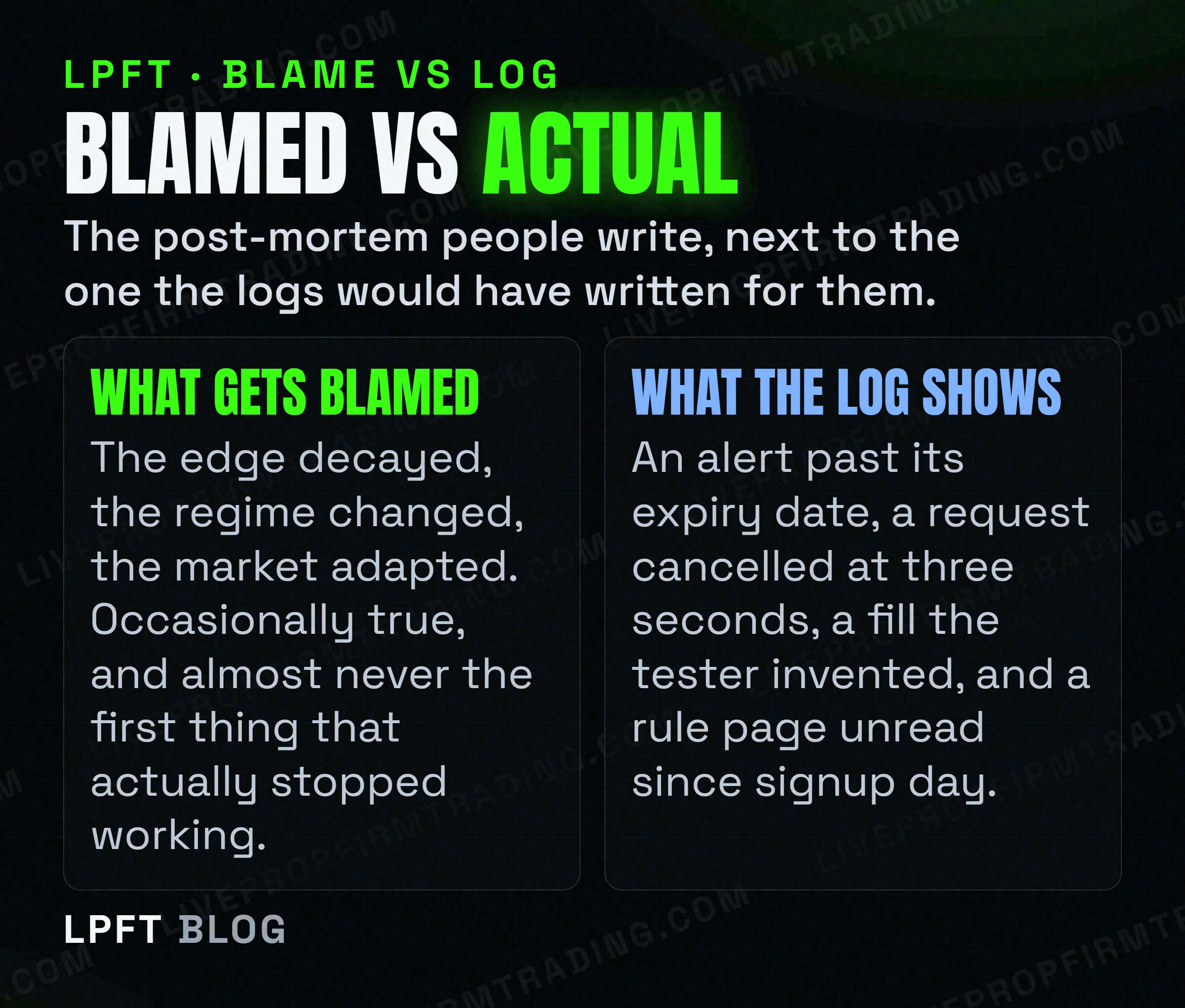
When an automated system stops working, the strategy is the first suspect every time. It is the most interesting part, the part you built, and the only part you can rewrite in an afternoon. It is also, in most of the failures worth writing about, innocent.
The five failures below have one thing in common. Each is documented in writing by the company whose product is involved, on that company's own page. Not one of them needs a regime change, a decayed edge or a lecture about discipline to happen. Four of the five would happen to a flawless strategy, running exactly as designed, on a good day.
That matters because the fix is different in each case. A strategy problem is solved by thinking harder. The other four are solved by checking something once a week, which is considerably easier and considerably less popular.
Failure one: the backtest was a simulation of a simulation
A backtest does not know what happened inside a historical bar. It knows four prices and it guesses the rest, and TradingView says so plainly in its own Pine Script manual. If the open is nearer the high than the low, the manual states, the emulator assumes the market price moved open, then high, then low, then close. The mirror rule applies when the open sits nearer the low.
It goes further. The emulator "assumes no gaps exist within bars" and treats any price inside a bar's range as valid for filling a pending order. So every intrabar sequence in your equity curve is a house rule, not a recording of the market.
From TradingView's own strategies FAQ: "During the extra script execution after an order fills, the script has access to the confirmed OHLC values for the historical bar, but those values would not be available in the real world until the bar's closing time." That is the vendor describing lookahead in its own tester, in its own documentation.
There is a second trap on the same page. TradingView states that non-standard chart types such as Heikin Ashi and Renko "are not suited for strategy backtesting or automated trading systems execution, because the prices and time intervals do not match market prices and times". A great many beautiful backtests were run on exactly those charts. How to backtest before you automate works through what a tester can and cannot tell you.
None of this makes backtesting useless. It makes a backtest a filter for bad ideas rather than a forecast of good ones, and a trader who treats it as the second thing is not failing at strategy. They are failing at reading the manual.
Failure two: the signal never reached the broker
This one is invisible from the chart, which is why it survives so long. Your alert fires, the marker appears, the script did its job, and no order exists anywhere. The signal died in transit and the chart has no way of telling you.
TradingView publishes the constraints on its webhook page, and they are stricter than most people assume:
- Three seconds, then it is cancelled. "If a remote server takes longer than three seconds to process a request, the request will be cancelled." A bridge that stalls on a busy open silently drops the trade.
- Ports 80 and 443 only. "Only ports 80 and 443 are accepted. Requests to other ports will be rejected."
- Two-factor authentication is mandatory. "Webhook alerts are only allowed when 2-factor authentication is enabled." Turn 2FA off and the alerts stop being allowed.
- No IPv6. "IPv6 isn't currently supported for webhooks." An endpoint that resolves to IPv6 only is unreachable.
- And the plain admission. "Webhooks may occasionally fail to reach the specified URL." Delivery is shown in the Webhook status column of the alert log, which is the one place a missing trade leaves a trace.
Almost nobody reads that column. It is the cheapest weekly check in automated trading and it is the difference between "the strategy had a bad month" and "eleven of its trades never existed". If you are still deciding how the signal should travel, how TradingView webhooks actually work covers the path itself.
TradersPost receives TradingView alerts in the cloud and routes them to a broker, with Tradovate explicitly supported, and it can email you on failed webhooks and failed trades instead of leaving you to notice. There is a free 7-day trial.
Try TradersPostFailure three: the alert expired and nobody was told
This is the quietest failure on the list and the one that makes the least sense until you read it on the page. A TradingView alert is not permanent. From their alerts documentation: "Alerts have an expiration period, after which they will automatically stop. The maximum lifetime of a standard alert is two months. However, for Premium and Ultimate plans, an open-ended option is available, allowing the alert to remain active indefinitely."
Read that against how an automated system is usually run. You build it, you test it, you let it run, and you deliberately stop staring at it, because not staring at it was the entire point. On Essential or Plus, roughly eight weeks later the alert reaches the end of its life and stops. The chart looks normal. The bridge is healthy. The broker is connected. Nothing is wrong except that nothing is happening.
TradingView also deactivates an alert automatically when all three of these are true: it was created more than a year ago, it has not triggered for over a year, and it has not been edited for over a year. A rarely-triggering setup is exactly the kind that meets all three.
The fix is a calendar entry, not an engineering project. Know your plan tier, know your alert's expiry date, and put the renewal in the same place you keep the contract rollover dates. What set and forget really means goes through the rest of the things that stop without telling you.
Failure four: the fills were free in the simulator
A practice account has no order queue and no counterparty, so your resting order fills the instant price touches it and your stop fills at the number you asked for. Tradovate does not pretend otherwise on its own simulated trading page. Simulated trading, it states, "does not represent actual trading and is based on hypothetical conditions", and actual results "may differ significantly due to factors such as market conditions, liquidity, execution, and the emotional and psychological impact of risking real money".
The direction of that error is predictable. Practice results come out flattering, never harsh. A system whose entire margin lives in getting filled at the exact edge of a move is not a system, it is a description of a simulator. Paper trading versus live testing separates what each one can honestly prove.
On a funded account this stops being a modelling question and becomes a rules question, which is the part people miss. MyFundedFutures writes on its own prohibited-practices page that traders "may make use of automated trading strategies tailored to their own specific settings so long as these automated tools do not aim to exploit the favorable fills offered in the Simulated Environment", and warns that certain strategies "may exploit the simulated fill algorithm, performing well in the evaluation stage but inevitably resulting in losses when transitioned to live markets". The same page states that high-frequency trading is not allowed on their plans.
Failure five: the rule book, not the market
A funded trader can run a working system into a wall that has nothing to do with price. Automation policy differs enormously between firms, and the differences are specific enough that a rule read at one firm tells you nothing about the next one.
Three examples, each read on the firm's own domain on 22 September 2026.
- Alpha Futures. "The use of AI, bots, and other automated trading mechanisms is strictly prohibited across all account types." They also prohibit "Any form of hands-off, continuous day and night trading, or any other type of full automation", while permitting semi-automated trading where "the user manually places, monitors, and manages the trade". Their HFT restriction targets automated systems "particularly those resulting in over 100 trades per day".
- Topstep. The opposite starting point. "Custom automated strategies and bots are allowed via the TopstepX / ProjectX API, subject to standard platform rules and our prohibition on high-frequency trading (HFT)." But also "All trading activity must originate from your personal device. The use of VPS, VPNs, and remote servers is prohibited by Topstep's Terms of Use", and on a private server, "your server can watch and record, but it cannot trade".
- TradeDay. Prohibits "Using trading bots or Automated Trading Systems (ATS) purchased from a third party. Or multiple users using the same trading bots and ATS's", and states "We do not allow strategies that produce more than 200 trades in a day". The consequence is on the same page: "All profits generated from prohibited trade practices will be confiscated."
Across the firms that publish a detailed policy, the objection is usually to something narrower: a bot you bought rather than built, a system left running unattended, a trade count above a stated ceiling, or holds measured in seconds. Reading for the word "bot" and stopping there is how people conclude the wrong thing about their own firm.
The practical instruction is unglamorous. Open your own firm's rule page, read the automation clause end to end before you connect anything, and read it again when you change platforms. How prop firms define HFT and Topstep's automated trading rules cover two of these in full.
LPFT only supports prop-firm connections that run through Tradovate. You can point our tools at a firm's own API key at your own discretion, but a guarantee claim requires your full broker statement where applicable. Not every prop firm supports the Tradovate API, so always check yours first.
The number you will see everywhere, and why it is not printed here
Search this question and you will be handed a statistic within two lines. Ninety per cent of trading algorithms lose money. Seventy-three per cent of automated accounts fail inside six months. Seventy per cent of retail traders lose using bots. Those figures appear across dozens of articles and we could not trace a single one of them to a study, a broker report or a regulator.
So they are not in this article, which is a slightly dull position to take on a blog about failure. The honest version is that trading is hard, most people who try it do not end up making a living from it, and the published academic work on day trading for a living is the place to look for real numbers rather than a round figure someone typed once.
What we can say with a source attached is everything above. An assumed fill, a cancelled request, an expired alert, a generous simulator and a rule page. Five failures, five documents, and a weekly ten-minute check that catches four of them.
And the thing that survives all of it: none of this makes trading safe. Futures carry a substantial risk of loss, fixing your plumbing removes avoidable mistakes rather than losses, and a system with perfect plumbing can still have a bad month. The point of the list is to make sure that when you do lose, you lost to the market and not to an unchecked box.
The LPFT Copilot runs the whole stack for you on Tradovate - start a 7-day free trial and watch it work.
Start your 7-day free trialFrequently asked questions
More often than traders expect, the strategy is not what changed. The common causes are a backtest that assumed fills it would never get, a webhook that failed to arrive, a TradingView alert that reached its expiry date and stopped on its own, practice fills that flattered the results, and a prop firm rule that closed the account. Four of those five happen to a working strategy.
Yes. TradingView states that alerts have an expiration period after which they automatically stop, and that the maximum lifetime of a standard alert is two months. An open-ended option that keeps an alert active indefinitely is available on the Premium and Ultimate plans. Alerts are also deactivated automatically when they are over a year old, have not triggered for over a year and have not been edited for over a year.
Yes. TradingView's own documentation says webhooks may occasionally fail to reach the specified URL, and that a request is cancelled if the remote server takes longer than three seconds to process it. Only ports 80 and 443 are accepted, IPv6 is not supported, and 2-factor authentication must be enabled. Delivery is shown in the Webhook status column of the alert log.
Because a backtest estimates what happened inside each historical bar rather than knowing it. TradingView documents that its emulator assumes an order of open, high, low and close based on where the bar opened, assumes no gaps exist within bars, and that after an order fills the script can see confirmed values it would not have had in real time. Live trading removes all of those assumptions at once.
It depends entirely on the firm, and the policies genuinely contradict each other. Alpha Futures states that AI, bots and other automated trading mechanisms are strictly prohibited across all account types. Topstep allows custom automated strategies through its TopstepX and ProjectX API but prohibits VPS, VPN and remote servers. TradeDay bans purchased or shared bots and confiscates profits from prohibited practices. Read your own firm's page before connecting anything.
Four things catch most silent failures. Check the alert is still active and note its expiry date, check the Webhook status column in the alert log for failed deliveries, compare a sample of the broker's filled prices against what the chart showed, and re-read your prop firm's automation clause after any platform change. None of it takes ten minutes.
Eli Y.
Eli builds and runs rules-based automated futures systems on NinjaTrader and Tradovate, and helps traders take emotion out of the screen. He writes about futures automation, prop-firm evaluations, and the tools that connect them - plainly, and without hype.
Risk disclosure: Trading futures involves substantial risk of loss and is not suitable for everyone. This article is educational content only and is not financial advice or a recommendation to trade. Past performance is not indicative of future results. Some links are affiliate links.