
A TradingView Alert That Triggers a Trade: Four Settings Decide

Heads up: some links below are affiliate links. If you sign up through them we may earn a commission at no extra cost to you - it never changes what we recommend.
A TradingView alert cannot place a trade by itself. It only notifies. To make one trigger a real trade you add a webhook URL plus a service that holds your broker connection. Four settings in the alert dialog then decide whether the order fires when you expect it to.
The LPFT Copilot runs a tested, rules-based method on your own Tradovate account, so there is no alert dialog to get right and nothing to re-arm every two months. 7-day free trial.
Start your 7-day free trialThe part most tutorials skip: the alert is only the messenger
Search for a TradingView alert that triggers a trade and almost every result tells you the same thing. Tick the webhook box, paste a URL, done. That is the easy half. The alert is a message, and a message does not move money. Something on the other end has to be holding a live connection to your broker and has to be awake when the POST lands.
TradingView is direct about what the webhook field does. Webhooks allow you to send a POST request to a certain URL every time the alert is triggered. That is the whole promise. There is no order, no position and no broker anywhere in that sentence. The mechanics of the POST itself are covered in TradingView webhooks explained, and the full path from chart to filled order is in can you automate trading on TradingView.
Webhook alerts are only allowed when two-factor authentication is enabled on your TradingView account, and only ports 80 and 443 are accepted, so requests to other ports are rejected. Webhook notifications also start at the Essential plan and are not part of the free Basic plan. If the webhook field is missing or your alert never sends, check those three things before you debug anything else.
Trigger frequency is the setting that actually costs you money
This is the field people leave alone, and it is the one that decides whether your order goes in on a bar that has finished or on a bar that is still moving. TradingView publishes four options and defines each one in a single line.
| Frequency option | What TradingView says it does | Fires mid-bar? |
|---|---|---|
| Once only | An alert is triggered only once, and conditions have to match the exact parameters that you set for it to be triggered. | Yes, then it stops for good |
| Once per bar | The system checks every bar and triggers an alert whenever conditions are met, no more than once per bar. | Yes |
| Once per bar close | Same as once per bar, but the bar needs to close for an alert to be triggered. | No |
| Once per minute or every time | The system checks conditions every minute and triggers an alert whenever conditions are met. | Yes |
Read the third row again, because it is the only one that waits. Every other option can send your webhook while the bar is still forming. That matters because a condition can be true halfway through a bar and false by the time it closes. On the chart you will never see the signal that fired, because the thing that was true has since been painted over. At the broker you have a position anyway.
Neither behaviour is wrong. Firing mid-bar is exactly what you want if you are reacting to a level being touched. It is the wrong choice if your rule was written around a completed bar, which most rules are. Pick deliberately, and write down which one you picked, because the two produce genuinely different trade lists from identical logic.
A strategy you tested on closed bars, wired to an alert set to once per bar, is not the same system you tested. It will take trades your test never took. If your live results and your report disagree and you cannot work out why, this field is the first place to look, before you blame the broker or the bridge.
Your alert has an expiry date, and a status that admits it
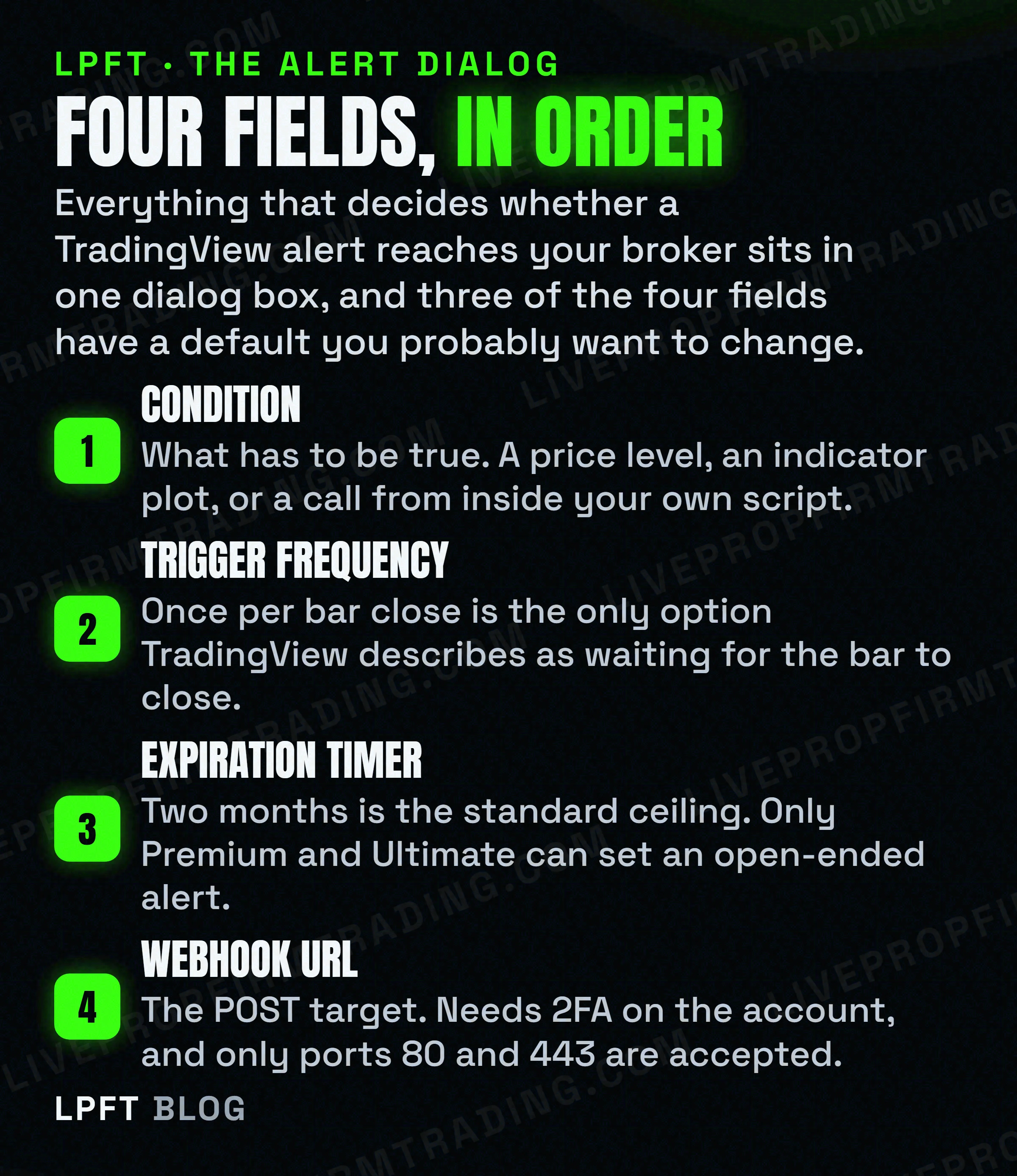
An alert is not a permanent object. TradingView states that the maximum lifetime of a standard alert is two months, and that for Premium and Ultimate plans an open-ended option is available, allowing the alert to remain active indefinitely. An alert is also automatically turned off when the timer expiration setting is reached.
So on Essential and Plus, the alert driving your automation dies on its own inside two months. Nothing places a trade after that. Nothing emails you about it either. The only thing that changes is a label in your alert list.
- Stopped and Triggered, in orange, is a triggered alert that was set to once only. It did its single job and retired.
- Stopped manually, in gray, is one you disabled yourself and probably forgot.
- Stopped and Expired, in red, is the timer running out. This is the one that ends automations.
- Separately, alerts are automatically deactivated when all three of these are true: created more than a year ago, not triggered for over a year, and not edited for over a year.
Every triggered alert is added to the alerts log, and you can read your alert history there any time. That log is also where delivery shows up, which matters because TradingView admits webhooks may occasionally fail to reach the specified URL. A system that is quietly not running looks identical to a market with no setups, which is the whole problem described in what set and forget actually means.
If the signal comes from code, the dialog stops mattering
Here is the trap that wastes a weekend. If your alert is driven by an alert() call inside a Pine script rather than by a condition you picked in the dropdown, the settings in the dialog are not in charge any more.
TradingView puts it plainly. Unlike standard alert types, the triggering frequency and the specific message sent are controlled entirely by the alert() function calls within the code, not by the settings in the alert dialog box. You can select once per bar close, save the alert, and change nothing at all about when it sends.
There is a second version of this in strategies. TradingView states that while the presence of alertcondition() calls in a strategy script will not cause a compilation error, alerts cannot be created from them. The script compiles, you see no error, and the alert simply never exists. Both traps are unpacked in indicator versus strategy in Pine and in turning an indicator into a strategy.
The practical rule is short. If you wrote the script, the code owns the frequency. If you picked the condition from the dropdown, the dialog owns it. Know which of those two you are running before you tune anything.
A futures-only detail: which contract the order lands on
Most alert tutorials are written for crypto or stocks, where the symbol you chart is the symbol you trade. Futures are not like that, and the difference is documented.
TradingView states that you can trade 1! continuous contracts, that this applies only to futures from the CME and EUREX exchanges, and that the order will be set for the front contract, meaning the contract with the nearest expiration month currently included in the 1! contract. Trading with 2! continuous contracts is not available, and those are mainly used for technical analysis.
So an alert built on a continuous symbol such as MES1! is reading a stitched series while the resulting order goes to the front month. That is usually what you want and it is convenient. It is worth knowing anyway, because the stitched history and the contract you actually hold are not the same instrument, and around a roll that gap is at its widest. Which indicators survive that stitching is covered in the best TradingView indicators for futures.
An alert needs something on the other end holding your broker connection. TradersPost is a cloud service that receives TradingView webhooks and routes them to a broker, and Tradovate is explicitly supported. It runs in the cloud, so your own machine does not have to stay awake. There is a free 7-day trial if you want to see the path work before you pay for anything.
See how TradersPost handles the webhook →What to check in the first week it runs live
- Send one test alert with the market closed. You are testing delivery, not the idea. Check the webhook status in the alerts log, not just that a popup appeared on your screen.
- Confirm the frequency you chose is the frequency in force. Dropdown alert, the dialog wins. Script with alert() calls, the code wins.
- Write the expiry date in your calendar. On a standard alert that is at most two months out. Put a reminder a week before it, because nothing else will tell you.
- Compare the first ten live fills against the same ten signals on the chart. If the fills sit mid-bar and your rule wanted closes, you found the frequency mismatch on trade one instead of trade two hundred.
- Check which contract you are actually holding. On a 1! symbol the order goes to the front month. Confirm that is the contract you meant to trade.
- Decide what should happen when a webhook does not arrive. TradingView says they may occasionally fail. A plan for a missed message is part of the system, not an afterthought.
None of this makes a rule profitable. Trading futures carries a substantial risk of loss, and a correctly wired alert will deliver a losing signal exactly as reliably as a winning one. What these checks buy you is the certainty that what you tested and what is running are the same thing, which is the only foundation worth building on. If you would rather not maintain any of this plumbing yourself, auto-executing a TradingView strategy on a futures broker lays out the alternatives, including the ones where you never touch an alert dialog again.
Frequently asked questions
No. A TradingView alert notifies, it does not execute. To turn one into a real order you need a webhook alert plus a service that holds your broker connection and acts on the incoming POST. TradingView describes the webhook field as sending a POST request to a URL every time the alert is triggered, which is a message and nothing more.
Use once per bar close if your rule was written around completed bars, because TradingView describes it as the option where the bar needs to close for an alert to be triggered. Once per bar, once only, and once per minute or every time can all fire while a bar is still forming, so a condition that is true mid-bar and false at the close will still send the webhook.
Yes. TradingView states that the maximum lifetime of a standard alert is two months, and that an open-ended option allowing the alert to remain active indefinitely is available on Premium and Ultimate plans. An expired alert shows a red Stopped and Expired status in your alert list, and nothing notifies you when it happens.
Because the signal is probably coming from an alert() call in a Pine script. TradingView states that the triggering frequency and the message sent are controlled entirely by the alert() function calls within the code, not by the settings in the alert dialog box. In that case the frequency has to be changed in the script.
Yes, for the webhook route. Webhook notifications start at the Essential plan and are not included in the free Basic plan. Webhook alerts also require two-factor authentication to be enabled on the account, and only ports 80 and 443 are accepted for the destination URL.
The front month. TradingView states that you can trade 1! continuous contracts for CME and EUREX futures, and that the order will be set for the contract with the nearest expiration month currently included in the 1! contract. Trading 2! continuous contracts is not available, as those are intended for technical analysis.
Eli Y.
Eli builds and runs rules-based automated futures systems on TradingView and Tradovate, and helps traders take emotion out of the screen. He writes about futures automation, prop-firm evaluations, and the tools that connect them - plainly, and without hype.
Risk disclosure: Trading futures involves substantial risk of loss and is not suitable for everyone. This article is educational content only and is not financial advice or a recommendation to trade. Past performance is not indicative of future results. Some links are affiliate links.