
NinjaTrader vs TradingView Automation: Each One Is Missing Half

Heads up: some links below are affiliate links. If you sign up through them we may earn a commission at no extra cost to you - it never changes what we recommend.
NinjaTrader automation decides and places the order itself, but it lives in an open chart on your own computer. TradingView automation fires from their servers whether your computer is on or off, but it can only send a message. Neither one automates end to end alone, so the real question is which half you are willing to supply yourself.
The LPFT Copilot runs a tested, rules-based method on your own prop firm or Tradovate account, with the session windows and loss limits already built in. Start a 7-day free trial and watch it run.
Start your 7-day free trialThe answer everyone gives, and the page that contradicts it
Search this comparison and the verdict is unanimous. NinjaTrader is for serious automation because the strategy runs natively on the platform and sends the order straight out, while TradingView is for charting and alerts because it has no native execution. Several pages put it plainly: if you want to run strategies unattended, pick NinjaTrader.
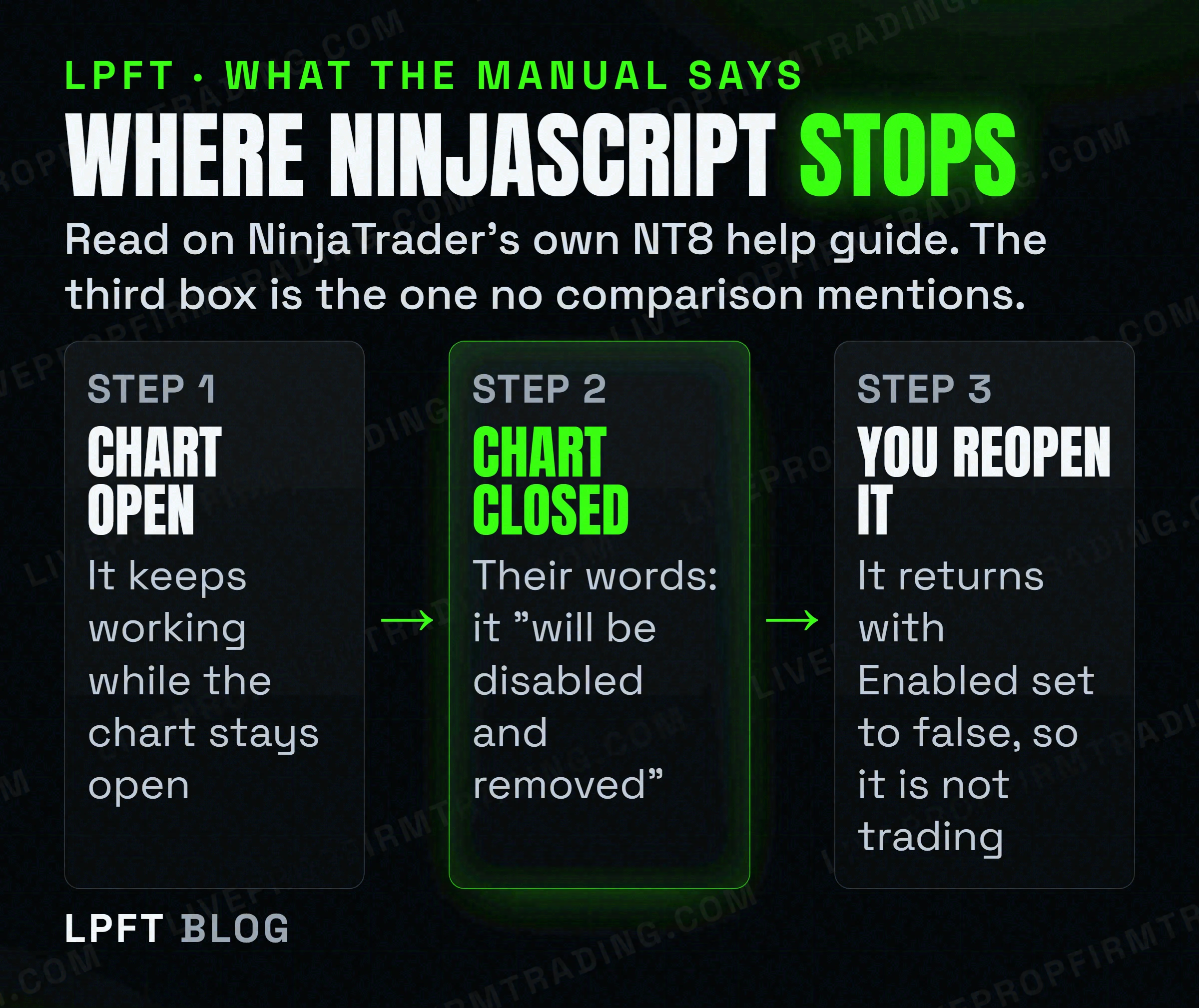
That advice has a problem, and it is not a matter of opinion. It is on NinjaTrader's own NT8 help guide, in the page about working with automated strategies. An automated strategy stays alive on a chart while that chart is open. And then this, in their own words: when the chart containing the automated strategy is closed, "the strategy will not persist" and "it will be disabled and removed."
Restarting does not resume trading either. Their own example: shut down NinjaTrader with an enabled strategy on a chart, reopen it, and the strategy is still applied to the chart but with Enabled set to false. So it is loaded and it is not trading, and nothing tells you except that window.
So "unattended" needs two conditions that comparison pages do not mention: the machine has to stay up, and nothing can ever restart the platform without you going back in to re-enable the strategy. That is a different product from the one being recommended.
One more thing worth noticing about who is doing the recommending. Of the ten results on this query, at least three sell VPS hosting and one sells an order bridge. "You need a machine that never sleeps" is the conclusion their business model requires. That does not make it false, and it does mean you should check it against the manual rather than the review. We went through that incentive in detail in do you actually need a VPS for automated trading.
What NinjaTrader automation really is
NinjaScript is the real thing. It is C#, it compiles, and a strategy written in it can read the market, decide, size the position and submit the order without anything else in the chain. No webhook, no third-party service, no monthly bridge fee. For anyone who can write code, that is a genuinely more capable tool than Pine Script, and nothing below takes that away.
The constraint is not the language. It is where the running strategy lives. The logic executes in the platform on your desk, tied to an open chart, which is why the chart-closed sentence matters so much. Your automation has the uptime of the computer it is sitting on.
There is one real exception and it is narrower than it sounds. NinjaTrader does have server-side order management, where ATM templates are "saved to the server, for use on any system you connect to". Useful, but read the scope on that same page: it is "exclusive to the NinjaTrader connection", it is "currently in beta", and its own list of what it cannot do includes that it cannot be used with NinjaScript.
Order management can sit on the server, in beta, on one connection. Strategy logic cannot. The platform the whole internet recommends for serious automation is the one whose automation is explicitly excluded from its own server-side feature.
Practically, that means a bracket you attached can be looked after server-side, while the thing that decides whether to enter at all cannot. If your machine sleeps, the strategy is not watching for setups. Worth knowing before you build a week of work on top of it.
What TradingView automation really is
TradingView works the opposite way round, and it fails at the opposite end. Its alerts run on TradingView's servers, so the trigger fires whether your laptop is open, shut or in a bag. That is the half NinjaTrader cannot give you.
What it cannot do is place the order. A webhook alert, in TradingView's own words, "notifies your external app when an alert is triggered" by sending an HTTP POST request to a URL you provide. A notification is the entire product. Something on the other end has to receive that message and turn it into a broker order, and that something is not TradingView.
You do not have to take our word for the limitation either. A bridge vendor whose whole business is filling that gap says it in its own sales copy: "TradingView doesn't natively support automated trading, so we've built a powerful program that lets you use TradingView's webhook system to trade for you." When a company concedes a limitation it profits from, that is about as reliable as vendor copy gets. We walk through the mechanics in can TradingView place trades itself.
- A Pine strategy is not an execution engine. It backtests. The orders in a strategy script are simulated against history, and no plan at any price changes that.
- Webhook alerts need 2FA on your account. TradingView states that webhook alerts are only allowed when two-factor authentication is enabled.
- Only ports 80 and 443 are accepted. Their words: requests to other ports will be rejected. This catches people self-hosting a listener on a custom port.
- Webhooks are not on the free plan. TradingView's own site says an account requires at least an Essential plan to enable webhook notifications. The alert that triggers your automation is a paid feature.
Set against the NinjaTrader side, the trade is clear. TradingView gives you a trigger that survives your computer being off and asks you to supply the execution. NinjaTrader gives you execution and asks you to supply the uptime. Full detail on the message format is in TradingView webhooks explained.
The comparison table that actually helps
Strip out the feature lists and only a few rows change a decision. We have left profit out on purpose, because neither platform supplies an edge and anyone telling you one of them performs better is comparing their own strategies, not the software.
| NinjaTrader (NinjaScript) | TradingView (alerts) | |
|---|---|---|
| Where the logic runs | On your computer, in an open chart | On TradingView's servers |
| Can it place the order itself | Yes, straight to the broker | No. It sends a message to a URL |
| Your PC off overnight | Not watching. Chart closed means strategy removed | Trigger still fires |
| After a platform restart | Strategy reloads with Enabled set to false | Nothing to restart |
| What you must add | Uptime, and something to keep the chart open | A bridge or broker integration to execute |
| Language | C#, compiled, full programming language | Pine Script, chart-scoped |
| Cost of the missing half | A machine that stays on | A monthly bridge subscription, typically |
Read the last row together. Both routes cost you something to complete, and people usually compare the platforms while ignoring the completion cost, which is where the real monthly number lives.
TradersPost receives a TradingView webhook server-side and routes it to a supported broker. Its own FAQ says TradingView alerts and TradersPost both work in the cloud and independently of your computer, and it offers a 7-day free paper trial so you can test the path before paying.
See TradersPostWhich one to pick, by what you are actually trying to do
Four honest cases. Find yours and the choice makes itself.
- You write C# and you have a machine that stays on. NinjaTrader, comfortably. You get the strongest backtesting and no bridge in the chain. Just put a reminder somewhere that an update or a reboot leaves your strategy loaded and disabled.
- You do not code and you want it running while you work. TradingView plus a bridge. You are paying a subscription to replace the half TradingView will not do, and in exchange nothing depends on your own hardware.
- You want to test an idea this week. TradingView, regardless of where you end up. It is faster to express an idea in Pine and look at it. Prove it before you invest in either stack, which is the whole point of backtesting before you automate.
- You are trading a funded account. Check your firm first, because this choice may not be yours at all. See the next section.
What should not drive it is the claim that one platform is more "professional". Both are used by people making money and losing money. The difference that survives contact with reality is the one in the table: which half you supply.
If this is for a funded account, your firm may have already decided
This is the part the platform comparisons skip, and for a funded trader it can override everything above. Firms publish rules about how an automated system may run, and they differ enough to make one of these two routes impossible.
Two examples read on the firms' own pages on 15 October 2026. Policies change, so treat these as a prompt to go and read yours rather than as a lasting fact.
- TradeDay states that "to use an automated trading system, you must use one of the platforms we support: NinjaTrader, Tradovate, TradingView, Jigsaw and Quantower," and separately that "algos and bots purchased from a third party and employed by the trader are forbidden." So the platform list is wide and the ownership bar is real.
- Topstep allows custom automated strategies and bots via its TopstepX and ProjectX API, subject to platform rules and a prohibition on high-frequency trading, but requires that "all trading activity must originate from your personal device" and bars VPS, VPNs and remote servers. More in our Topstep automation rules post.
If your firm requires orders to originate from your own device and bars remote servers, then a cloud bridge is off the table and the NinjaTrader uptime problem is not a problem you can solve with hosting. Read your own firm's current page before you buy anything.
We will not tell you which vendor is permitted at which firm, because no firm publishes a vendor-by-vendor list and anyone who gives you one is guessing with your account. The wider picture is in running a bot on a prop firm account.
What we would tell a friend
The framing "which platform is better for automation" is the reason this question stays confusing. Neither is a complete automation stack. One is an execution engine that depends on your hardware, the other is a cloud trigger that depends on someone else's execution. You are not picking a winner, you are picking which gap to pay for.
If that sounds like more plumbing than you wanted to own, that is a fair conclusion and it is the honest reason hosted systems exist. There is no machine of yours left running and no bridge to configure, because the execution and the uptime both sit on our side. The trade is that you are running our tested method rather than your own code, which suits some people and not others.
Whichever route you take, test it with real fills before you trust it with real money. A backtest and a paper account are not evidence that a live order gets filled the same way, which is the ground we cover in paper trading versus live bot testing. Futures trading carries a substantial risk of loss, and automating a strategy does not reduce it.
The LPFT Copilot runs the whole stack for you on Tradovate - start a 7-day free trial and watch it work.
Start your 7-day free trialFrequently asked questions
Neither is complete on its own, and they fail at opposite ends. NinjaTrader can decide and place the order without any third-party service, but the strategy runs inside an open chart on your own computer. TradingView triggers from its own servers whether your computer is on or off, but a webhook alert only sends a message, so a bridge or broker integration has to place the order.
No. NinjaTrader's own NT8 help guide states that when the chart containing the automated strategy is closed, the strategy will not persist and it will be disabled and removed. Their documentation also notes that if you shut the platform down with an enabled strategy and reopen it, the strategy is still applied to the chart but with Enabled set to false, so it is loaded and not trading.
A TradingView alert cannot place a broker order on its own. A webhook alert notifies an external app by sending an HTTP POST request to a URL you provide, and a Pine Script strategy is backtest only. Something else has to receive that message and submit the order, which is why bridge services exist. A human can still place orders manually from a connected broker panel.
You need something that keeps the platform running with the chart open, and a VPS is one way to do that. Note that several pages ranking for this comparison sell VPS hosting, so weigh the recommendation accordingly. If you are on a funded account, check your firm first: Topstep, for example, requires that all trading activity originate from your personal device and prohibits VPS, VPNs and remote servers.
TradingView's own site states that an account requires at least an Essential plan to enable webhook notifications, so webhooks are not available on the free Basic plan. Webhook alerts also require two-factor authentication to be enabled on your account, and only ports 80 and 443 are accepted for the destination URL.
It depends on the firm and you must read their current page. As an example, TradeDay states that to use an automated trading system you must use one of the platforms it supports, naming NinjaTrader, Tradovate, TradingView, Jigsaw and Quantower, while also forbidding bots purchased from a third party. A policy that permits the platform may still forbid the code if you did not write it yourself.
Eli Y.
Eli builds and runs rules-based automated futures systems on NinjaTrader and Tradovate, and helps traders take emotion out of the screen. He writes about futures automation, prop-firm evaluations, and the tools that connect them - plainly, and without hype.
Risk disclosure: Trading futures involves substantial risk of loss and is not suitable for everyone. This article is educational content only and is not financial advice or a recommendation to trade. Past performance is not indicative of future results. Some links are affiliate links.