
Pine Script for Beginners: Your First Script, and the Wall Behind It

Heads up: some links below are affiliate links. If you sign up through them we may earn a commission at no extra cost to you - it never changes what we recommend.
Pine Script is TradingView’s own programming language, and it runs on TradingView servers rather than on your computer. A beginner can put a working indicator on a chart in about nine lines. What no Pine script can do on its own is send an order to a broker.
The LPFT Copilot runs a tested, rules-based method on your own Tradovate account, with no code for you to write or maintain. Start a 7-day free trial.
Start your 7-day free trialWhat Pine Script is, and the part that catches people out
TradingView defines it in one sentence at the top of its own manual. Pine Script is their programming language, and it lets traders create their own tools and run them, in their words, on our servers. The four words doing the work there are the last four.
Nothing installs. There is no runtime on your laptop, no package manager, no version of anything else to get wrong. You open a chart, open the editor, write, and save. That is genuinely easier than any other way of writing trading code, and it is the reason Pine is most people's first language rather than their fifth.
It is also the reason this post spends a whole section on limits. Code that runs on somebody else's hardware runs inside somebody else's budget, and TradingView publishes exactly how big that budget is.
Writing Pine and running it on a chart costs nothing. The moment you want a script to notify something outside TradingView, webhook notifications begin at the Essential plan rather than the free Basic one, and webhook alerts are only allowed when two-factor authentication is enabled on your account. That gap is where a lot of first projects quietly stop.
Your first script is about nine lines
Open the Pine Editor tab at the bottom of a TradingView chart. The first example in TradingView's own primer is a MACD indicator, and it is nine lines long: a version annotation, a declaration, five lines of arithmetic, two plot calls. That is the entire script, and it works.
- The version line. A comment in the form of a compiler annotation, written as version six, which tells the compiler which Pine you wrote.
- The declaration. A call to indicator() that names the script and, more importantly, decides what kind of script it is allowed to be.
- The calculation. Built-in series like close, fed through built-in functions like the exponential moving average.
- The output. A call to plot(), which is what actually puts something on your chart. No plot, no visible result.
If you have written code before, an afternoon gets you past the syntax. If you have not, the honest estimate is a week of evenings. Neither number is what decides whether the time is well spent. What decides it is in the last two sections.
Three traps that catch nearly every beginner
A missing version line silently drops you to Pine version 1
TradingView's language documentation is blunt about this. The compiler annotation is not mandatory, and when it is omitted, version one is assumed. Pine is on version six. Paste a snippet from a forum thread without its version line and the compiler will hand you errors from a language nobody has written in for years. Always type the version line first.
One script gets exactly one declaration
Every Pine script must contain one declaration statement, and it is a call to indicator(), strategy() or library(). That one line is not a formality. It decides whether your script may simulate orders, whether it may create the kind of alert you can automate, and how many of TradingView's server resources it is allowed to spend.
A lot of the tutorials you will find are four years stale
If a tutorial tells you to write study(), it was written before Pine version five. TradingView renamed study() to indicator() in that release, and Pine graduated to version six in November 2024 with the note that future updates apply exclusively to that version. A page using the old name is not a small typo. It is a signal that everything else on the page needs checking too. The full picture is in Pine Script strategy versus study.
The ceilings, which nobody mentions until you hit one
Because your code runs on TradingView hardware, TradingView caps it. These are published, they are specific, and knowing them early changes what you attempt.
| Ceiling | What TradingView publishes |
|---|---|
| Script run time | Twenty seconds across the whole dataset on a basic account, forty seconds on the others. Any single loop on a single bar is capped at 500 milliseconds. |
| Compile time | Two minutes. A script that will not compile inside two minutes does not compile at all. |
| Plots per script | Sixty-four plot counts, and each alertcondition() call spends one of them. This catches people who add alerts to a busy indicator. |
| Drawings | Five hundred line, box and label IDs, one hundred polyline IDs, and a maximum of nine tables on the chart. |
| History | Most series reach back a maximum of 5,000 bars, and a maximum of 500 bars can be referenced into the future. |
| Backtest orders | A script can place a maximum of 9,000 orders when backtesting, or 1,000,000 using Deep Backtesting, which is a Premium and Ultimate feature. |
Those were the published numbers when this was written, in September 2026. They move as TradingView changes plans and hardware, so read the limitations page yourself before you design something that lives near one of them.
The wall: a correct script that still cannot trade
Here is the part the beginner tutorials leave out, and it is the part that decides whether learning Pine gets you what you actually came for.
An indicator computes. TradingView says so plainly: indicators contain calculations but cannot be used in backtesting. And no Pine script of any kind, indicator or strategy, sends an order to your broker. The furthest any Pine script reaches is an alert leaving TradingView.
So the real path has three boxes, and only the first is Pine. Your script computes a condition. An alert fires on that condition. Something outside TradingView receives the alert and places the order. That third box is not something you can write in this language, and it is laid out in how to auto-execute a TradingView strategy on a futures broker and TradingView webhooks explained.
TradingView states that alerts have an expiration period after which they automatically stop, and that the maximum lifetime of a standard alert is two months. An open-ended option exists on Premium and Ultimate. On the lower plans, the alert driving your automation switches itself off inside two months and nothing announces it. More on that in what set and forget really means.
Pine Editor, the alert dialog and the plan tier that unlocks webhook notifications all live inside TradingView. If you are starting from nothing, that is the one account you need before anything else here applies.
Open TradingView →Where to spend your first month
Ranked by how much each one shortens the road, rather than by how they appear in a syllabus.
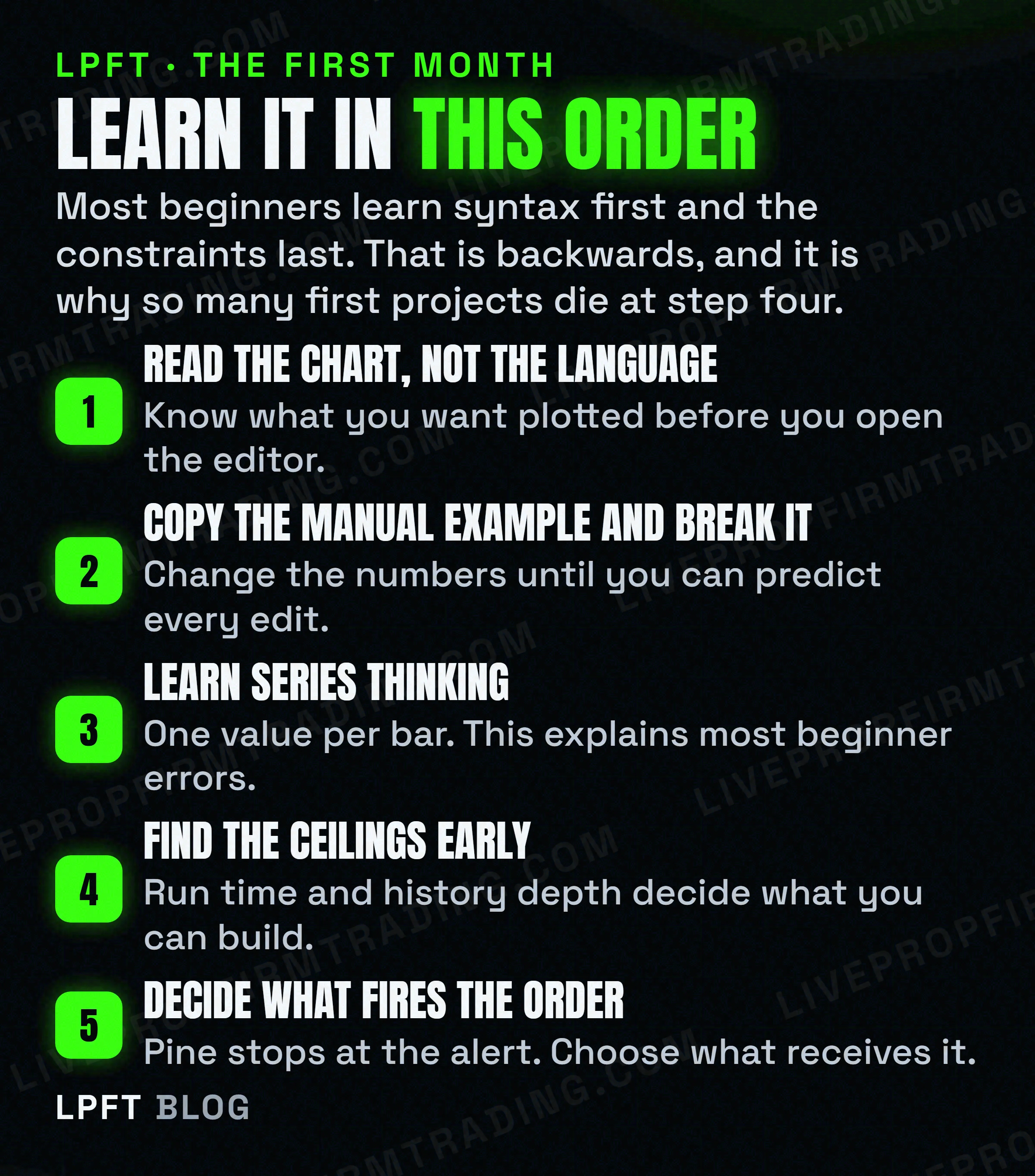
- Series thinking, before syntax. Every variable holds one value per bar and the script re-runs on each bar. Almost every incomprehensible beginner error comes from forgetting that.
- The declaration statement. Understand what indicator() and strategy() each unlock, because that choice is harder to undo later than any line of logic.
- Alerts, properly. Learn the difference between the two alert mechanisms before you need it. One of them does nothing at all inside a strategy.
- The limitations page. Twenty minutes there saves a weekend spent optimising a script that was never going to fit.
- What receives the alert. Decide this before writing trading logic. It changes what your alert message has to contain.
And if the honest answer is that you want the outcome rather than the craft, that is a legitimate answer. The trade-off is set out in manual versus automated trading, and the step after this one is turning a TradingView indicator into a strategy.
Trading futures carries a significant risk of loss and most people who try it lose money. Nothing you write in Pine changes that, and a script that compiles is not evidence that the idea inside it works.
Frequently asked questions
Pine Script is TradingView's own programming language for building charting tools. Their documentation describes it as letting traders create their own tools and run them on TradingView servers, which means nothing installs on your computer and your script executes in the cloud every time your chart updates.
The syntax is small and the first working script is about nine lines, so the language itself is not the hard part. The hard part is series thinking, where every variable holds one value per bar, and the published resource limits that quietly decide what you are allowed to build.
Version 6. TradingView announced in November 2024 that Pine had graduated to v6 and that future updates would apply exclusively to that version. If a tutorial uses study() instead of indicator(), it predates version 5 and should be treated as out of date throughout.
No. No Pine script sends an order to a broker. An indicator computes values and can raise an alert, and a strategy can simulate orders for a backtest, but the order itself has to be placed by something outside TradingView that receives the alert.
Not to write it or run it on a chart. You do need a paid tier to automate it, because webhook notifications start at the Essential plan rather than the free Basic plan, and TradingView only allows webhook alerts when two-factor authentication is enabled on the account.
Check the first line. TradingView states that the version annotation is not mandatory and that version 1 is assumed when it is omitted, so a snippet pasted without its version line is compiled as a decade-old dialect. Adding the version 6 annotation fixes a surprising share of beginner errors outright.
Eli Y.
Eli builds and runs rules-based automated futures systems on TradingView and Tradovate, and helps traders take emotion out of the screen. He writes about futures automation, prop-firm evaluations, and the tools that connect them - plainly, and without hype.
Risk disclosure: Trading futures involves substantial risk of loss and is not suitable for everyone. This article is educational content only and is not financial advice or a recommendation to trade. Past performance is not indicative of future results. Some links are affiliate links.