
TradingView Free vs Paid: The Upgrade Buys a Message, Not a Trade

Heads up: some links below are affiliate links. If you sign up through them we may earn a commission at no extra cost to you - it never changes what we recommend.
The free Basic plan has no webhook notifications, so it cannot reach a broker at all. Essential is the lowest tier that can. But no TradingView plan at any price lets a Pine strategy place the order itself.
The LPFT Copilot runs a rules-based system on your own Tradovate account and reports what the broker actually filled. Start a 7-day free trial.
Start your 7-day free trialThe free plan is not a cheaper version of automation. It is a different product.
Almost every plan comparison you will find is written by someone who earns a commission on the upgrade, so it reads like a ladder of nice-to-haves. More indicators, more charts, more alerts. For automation that framing is wrong, and it is wrong in a way that costs you a month before you notice.
There is one feature that decides whether an automated setup is possible at all, and it is not on the free plan. Webhook notifications are what let a triggered alert send an HTTP POST to a URL you control. Without them, TradingView can light up your screen, email you and buzz your phone, and none of that reaches a broker.
Webhook notifications start at the Essential tier. That is the floor. We have now parsed TradingView's own pricing table for this row four separate times and read it in prose on their webhook support page, because this single row gets reported wrong constantly, in both directions. Treat any article that puts webhooks on the free plan, or that reserves them for Premium, as unchecked.
The plan columns on TradingView's pricing page today are Basic, Essential, Plus, Premium and Ultimate. The names Pro and Pro+ do not appear anywhere on it. If a tutorial tells you to buy TradingView Pro for webhooks, it is naming a plan that is not for sale, and everything else on that page was written at the same time.
So the first question is not which plan is best value. It is whether you are above the webhook line or below it. Below it, nothing downstream matters. The mechanism itself is covered in TradingView webhooks explained.
Four gates, and only the last one has no price
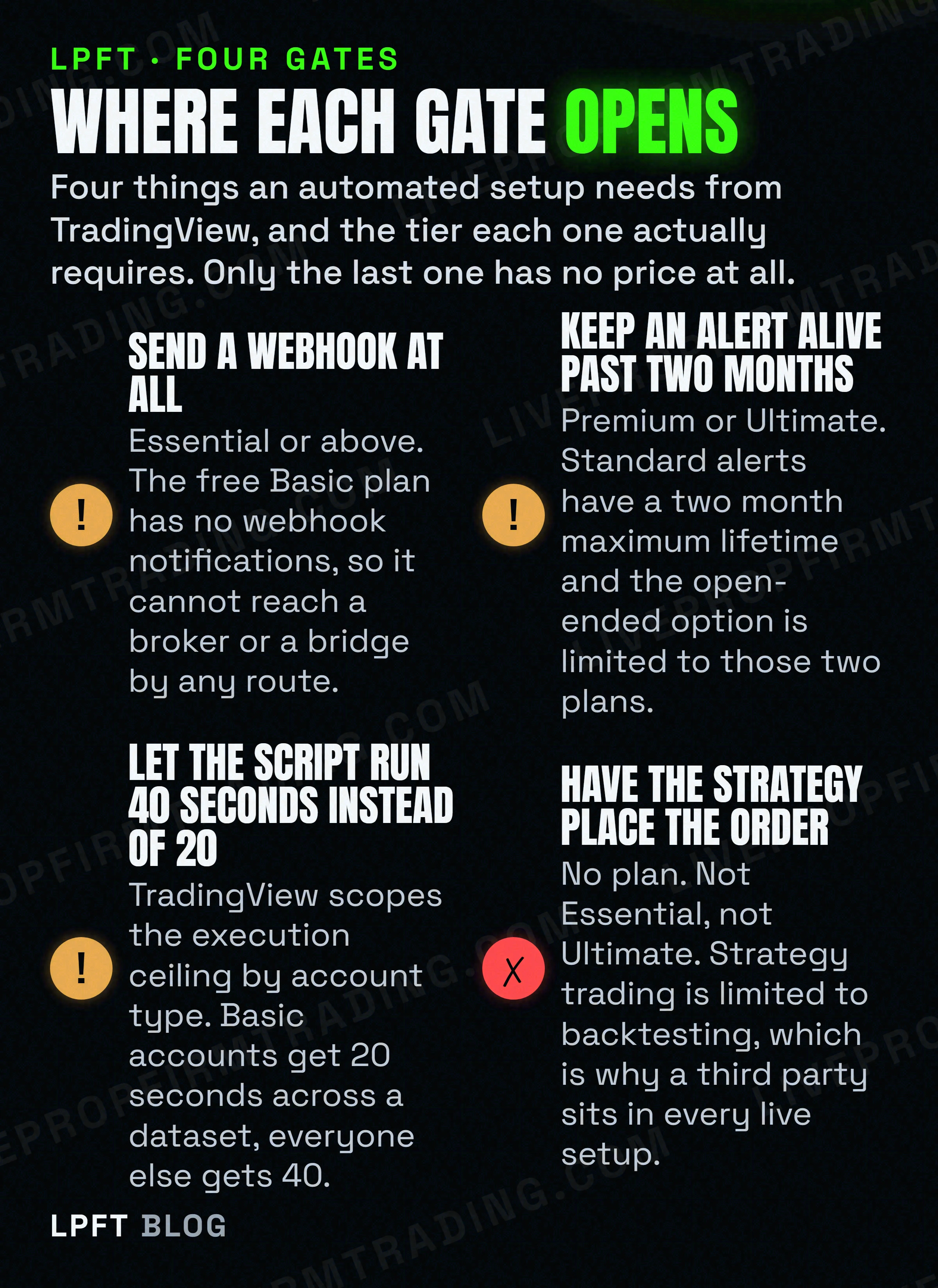
Here is the honest version of the comparison, limited to things that affect an automated setup. Everything about layouts, chart counts and indicator slots is real but it is not what this page is about.
| What you need | Lowest tier that gives it | Why it matters |
|---|---|---|
| Webhook notifications | Essential | The only route out of TradingView into a broker or a bridge. Absent on Basic. |
| Open-ended alert expiry | Premium | Standard alerts have a two month maximum lifetime. Below Premium, the alert driving your system dies on a clock. |
| 40 second script execution instead of 20 | Any paid account | The docs scope this by account type. A heavy script that finishes on a paid account can time out on a basic one. |
| 64 unique request calls instead of 40 | Ultimate | Only bites if your script pulls many separate symbols or timeframes. |
| Deep backtesting and bar magnifier | Premium | Changes how honest your backtest is, not whether the system runs. |
| A strategy that places the live order | Not available on any plan | Strategy trading is backtesting only. This is the row that decides your architecture. |
Notice what that last row does to the whole upgrade conversation. You can buy the most expensive plan on the page and your Pine strategy still will not send a single contract to a broker on its own.
The ceiling nobody puts in a plan comparison
Buried in the Pine Script limitations page is the only automation limit in the whole documentation set that is scoped by what you pay. It is worth reading slowly.
The time allotted for the script to execute on all bars of a dataset varies with account types. The limit is 20 seconds for basic accounts, and 40 for others.
That is the actual mechanism behind a complaint you see constantly, where a script works for one person and times out for another on the same symbol. It is not the symbol and it is not a bug. One of them had twice the wall clock.
The other published ceilings apply to everyone and are worth knowing before you build something that hits one. Compilation is capped at two minutes, and three consecutive warnings earn a one hour ban on compiling. Any single loop on a single bar is capped at 500 milliseconds. A script gets 64 plot counts, and an alertcondition call consumes one of them. Drawing IDs cap at 500 lines, boxes and labels, and 100 polylines. Those were read on TradingView's own limitations page in October 2026, and they do move.
More time is not more intelligence. The same script with the same logic simply gets to finish. If your script is timing out, the paid plan is a reprieve rather than a fix, and the thing to do is make the script cheaper. Beginners hit this sooner than they expect because loops are the usual cause. The basics are in Pine Script for beginners.
The two month clock, and why upgrade day is not the fix
This is the one that quietly ends more automated setups than any plan limit. The maximum lifetime of a standard alert is two months. For Premium and Ultimate plans an open-ended option is available, which lets the alert remain active indefinitely.
So on Essential or Plus, the alert that drives your entire automation expires by design inside two months. Nothing breaks loudly. The alert simply stops, and the only signal is a red status in your alert list reading Stopped and Expired.
Now the trap. Upgrading your plan does not retroactively rescue an alert you already created. Open-ended expiry is a setting on the alert itself, so you have to open each existing alert, go to the expiration section, choose open-ended and save. Every alert made before the upgrade keeps its old clock until you do. Upgrade day feels like the fix and is not.
There is a second shape of the same problem. An alert is a frozen snapshot of the script, its inputs and the chart context, taken when you clicked create. Changes to the script, its inputs or your chart do not affect that created alert. You can fix a bug and watch the old logic keep firing, with no error anywhere. Both of these are why unattended is the risky word rather than automated, which is the subject of what set and forget actually means.
The open-ended option, the webhook field and the alert log with its webhook status column are all TradingView features, and which ones you see depends on your tier. If you are going to run anything unattended, it is worth knowing which tier you are on before you find out the hard way.
Compare TradingView plans →Paying more buys a more honest backtest, which is not the same as a working bot
Two Premium features genuinely change the numbers you see, and both are about testing rather than trading.
Deep backtesting runs the strategy on all historical data available for the symbol rather than only what is loaded on the chart, with a ceiling of two million bars and one million trades. Without it, a strategy using the default testing range preserves individual data for up to the latest 9,000 trades. The bar magnifier, listed as high detalization of historical bars, lets the emulator pull OHLC from a lower timeframe to get more ticks for filling orders on historical bars.
That second one matters more than it sounds. On historical bars, intrabar movement is assumed rather than known. If a bar opens closer to its high than its low, the emulator assumes the market moved open, high, low, close, and the mirror rule applies the other way. It also assumes no gaps exist within bars. The magnifier narrows that guess. It does not remove it.
So the expensive plan can make your backtest less wrong. It cannot make it a forecast, and buying it is not a substitute for the habits in how to backtest before you automate.
The row that decides your whole architecture
Everything above is a tier question. This is not.
TradingView states that strategy trading is limited to the backtesting mode only, and that automated strategy trading with a brokerage account is not available on TradingView yet. They add that they are considering implementing it in the future, with no timeline. That was re-read on their own support pages in October 2026, and it is a roadmap statement, so it will eventually change.
Meanwhile the opposite half is also true and gets flattened just as often. A human clicking in TradingView does place a real order through a connected broker, and their own wording is that TradingView does not process your trades and acts as an interface only. So the chart can be your keyboard. It just will not type by itself.
Which means a live automated setup always has three parts rather than two. The chart that decides, a thing in the middle that holds credentials and state, and the broker that fills. That middle piece is not an upsell, it is structural, and the reason is covered in can you automate trading on TradingView and turning alerts into automated trades.
TradersPost is the cloud bridge most people end up using. Their own docs say it does not require coding, that you can paper trade free for 7 days, and that TradingView alerts and TradersPost both work in the cloud independently of your computer, with Tradovate supported. Their listed yearly-billed rates in October 2026 ran from $41.65 to $254.15 per month, plus $10 a month for each extra live account.
Look at TradersPost →Add that to your plan cost before you decide what automation costs you. A bridge subscription on top of an Essential plan is the real monthly number, not the plan alone. Other options in that slot are in TradersPost alternatives.
So which plan should you actually buy
A short decision list, in the order the constraints bite.
- Automating anything at all: Essential at minimum. Below it there is no webhook, so there is no path to a broker. This is not a preference, it is a wall.
- Running it unattended for more than two months: Premium. That is where open-ended alert expiry lives. If you stay below it, put a recurring reminder in your calendar to recreate the alert, and expect to forget once.
- Judging a strategy on a long history: Premium. Deep backtesting and the bar magnifier are both there, and without them you are reading a shorter, coarser sample.
- Pulling many symbols or timeframes in one script: check the request ceiling. Forty unique calls on paid plans, 64 on Ultimate. Most people never reach it.
- Hoping the plan will place the trade: no plan does this. Budget for the bridge or for a done-for-you system instead of for a higher tier.
- Still on Basic and only learning: stay there. Charts, indicators and bar replay are enough to learn on, and you will know when you hit the webhook wall.
One more thing worth saying plainly. None of these tiers changes whether your idea is any good. Trading futures involves substantial risk of loss, a paid plan is a toolset rather than an edge, and the fastest way to lose money on automation is to buy the upgrade before you have anything worth automating. Test in simulation first.
We have also deliberately not printed a single TradingView price here. Their pricing page is localised, it served Canadian dollars to this machine, and a figure in the wrong currency on a page like this would be worse than no figure. Read the tier you need from the table above, then look up what it costs where you live.
If the conclusion you are reaching is that you want the chart, the bridge and the rules to arrive as one working thing, that is the shape of trading futures automatically from TradingView, end to end.
Frequently asked questions
No. Webhook notifications are not included on the free Basic plan, and Essential is the lowest tier that has them. Without a webhook there is no way for a triggered alert to send a request to a broker or to a bridge service, so automation is not possible on the free plan by any route.
Essential, because it is the first tier with webhook notifications. Be aware that it does not include open-ended alert expiry, so an alert on Essential has a two month maximum lifetime and will stop on its own. For an unattended setup that runs longer than two months, Premium is the first tier that solves that.
No. TradingView states that strategy trading is limited to the backtesting mode only and that automated strategy trading with a brokerage account is not available on TradingView yet. That is true on every tier including Ultimate. A human can place a real order from the chart through a connected broker, but nothing in TradingView clicks for you, so live automation needs a third party in the middle.
TradingView's Pine Script limitations page states that the time allotted for a script to execute on all bars of a dataset varies with account types, and that the limit is 20 seconds for basic accounts and 40 for others. A script can also use up to 40 unique request calls, or up to 64 if the user has the Ultimate plan.
Because that is the documented maximum lifetime of a standard alert. Open-ended alerts are available on Premium and Ultimate only. Upgrading your plan does not change an alert that already exists, so you have to open each one, go to the expiration section, choose the open-ended option and save it. An expired alert shows a red Stopped and Expired status in your alert list.
There is no TradingView Pro. The plan columns on their pricing page are Basic, Essential, Plus, Premium and Ultimate, and the names Pro and Pro Plus do not appear on it. Any guide telling you to buy Pro was written before a rename and is old enough that its other advice is worth checking too.
Eli Y.
Eli builds and runs rules-based automated futures systems on TradingView and Tradovate, and helps traders take emotion out of the screen. He writes about futures automation, prop-firm evaluations, and the tools that connect them - plainly, and without hype.
Risk disclosure: Trading futures involves substantial risk of loss and is not suitable for everyone. This article is educational content only and is not financial advice or a recommendation to trade. Past performance is not indicative of future results. Some links are affiliate links.