
Building a Simple TradingView Trading Bot: the Six Parts and the Four Numbers

Heads up: some links below are affiliate links. If you sign up through them we may earn a commission at no extra cost to you - it never changes what we recommend.
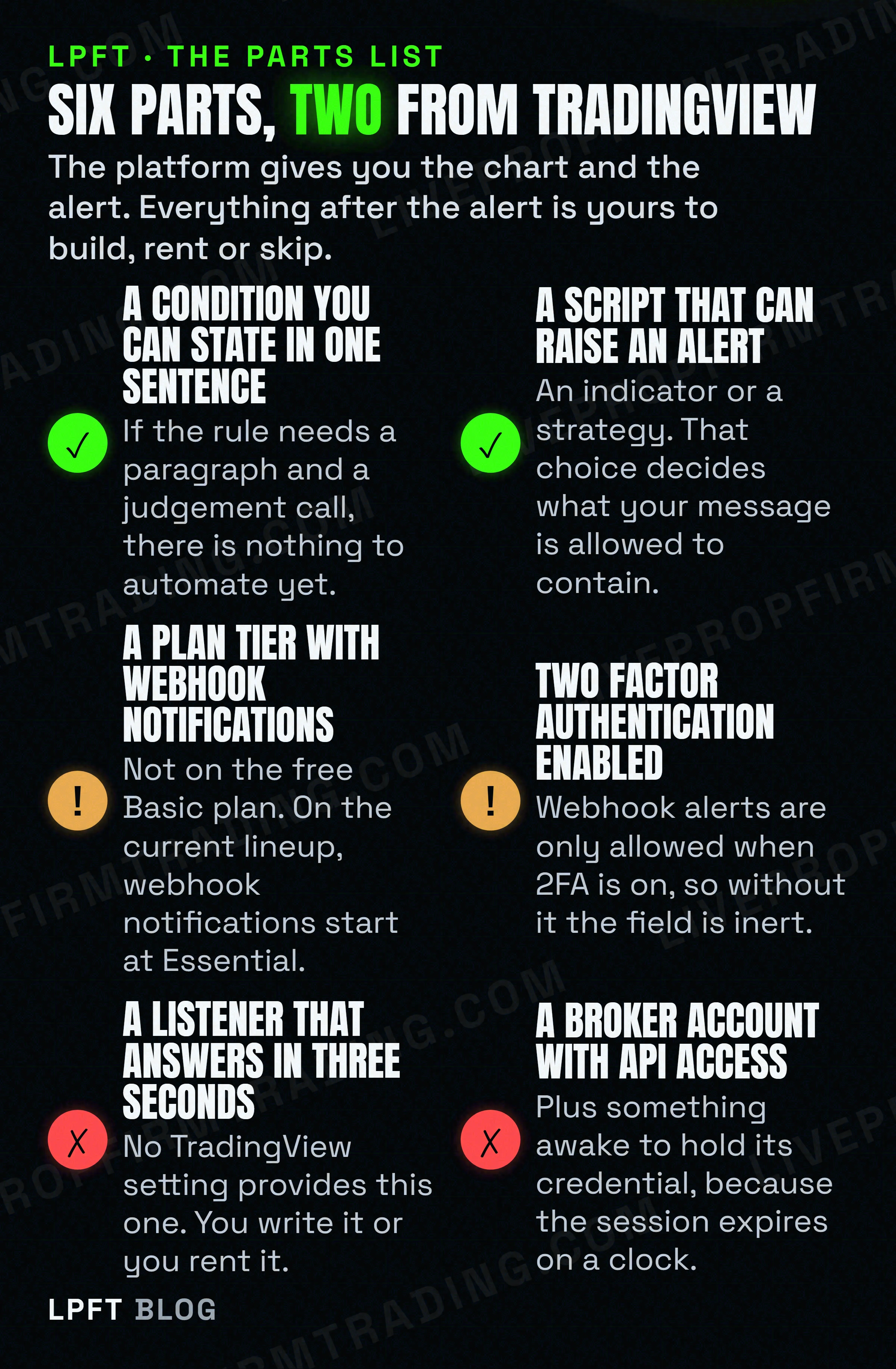
Six parts: a condition you can state plainly, a script that raises an alert, a plan tier with webhook notifications, two factor authentication on, a listener that answers within three seconds, and a broker account with API access. TradingView supplies the first two.
The LPFT Copilot runs a rules-based system on your own Tradovate account and holds the broker session itself, so none of the six parts below is yours to build. Start a 7-day free trial.
Start your 7-day free trialWhat you need to build a TradingView trading bot, in one list
Short answer first, because the long answers on this subject tend to bury it. You need six things, TradingView gives you two of them, and the four it does not give you are the four that cost money and attention.
That framing matters more than any tutorial step, because it tells you where the work lives. Writing the script is the part people expect to be hard and it is usually the easiest. Keeping a credential alive at four in the morning is the part nobody mentions and it is what actually decides whether the thing is still running in March.
A TradingView trading bot is not a script. It is a chart condition, a paid notification channel, a small always on web service, a broker session that renews itself, and a maintenance calendar. The script is one of five things and the only one you will enjoy.
Why most build-a-bot guides do not apply to futures
Search this topic and look at what comes back. Exchange API keys with withdrawal permissions switched off. Custom GPTs. Binance, Coinbase, Kraken. Python on a cloud server. Fifteen minute promises. Almost every result is about crypto, where an exchange hands out a key you can use directly and the market never closes.
Futures do not work like that. The contract expires. The session has hours. The broker is a brokerage with an account, not an exchange with a key. And the symbol on your chart may not be the symbol an order can be placed against, which is a problem crypto tutorials never have to solve.
There is also a quick way to date any guide you are reading. The TradingView pricing page today lists Basic, Essential, Plus, Premium and Ultimate. The words Pro and Pro plus do not appear on it at all. So a tutorial telling you to buy TradingView Pro for webhooks is naming a plan that is not on sale, and whatever else it tells you about limits and features is from the same era.
What is current and verifiable is the requirement itself. Webhook notifications are not included on the free Basic plan, and they start at Essential. That is the one purchase with no workaround, because every other part of the chain can be built or borrowed.
A script can be written for free and a listener can run on hardware you already own, but the ability for an alert to reach anything outside TradingView is a plan feature. Worth checking which tier you are on before you design around it.
Check TradingView plans →The part TradingView will not do, in its own words
This is where most first builds go wrong, because the platform looks like it should close the loop itself. It has charts, it has a scripting language that places orders in a backtest, and it connects to brokers. The missing piece is not obvious until you read what TradingView states about it.
Their support page, read again this month: automated strategy trading with a brokerage account is not available on TradingView yet, and they are considering implementing this in the future. No ETA is given. So the orders your strategy places in the Strategy Tester are simulated, every one of them, no matter how real the connected broker is.
The nuance that most pages get wrong in the other direction: TradingView absolutely can place a real order, when a human clicks. You can connect a broker and trade from the chart, and TradingView describes its own role plainly by saying it does not process your trades and acts as an interface only. The broker executes. TradingView is the keyboard, and nothing in it presses a key for you. The three way answer is laid out in can TradingView place trades by itself.
That gap is exactly the shape of part five in the list. Something outside TradingView has to receive the alert and act as the hands. What TradingView actually sends to it, and why no broker will accept that request directly, is in how to send a TradingView webhook to any broker. The short version is that the POST arrives with no credential, so the receiver has to own the broker login.
Your script choice feeds into this too. An indicator alert cannot name a side or a size, because the placeholders that carry those are available only in strategy alerts. That decision, and the third mechanism most people never find, is in Pine Script alerts versus strategy orders. If you have not written Pine before, start at Pine Script for beginners.
The clocks that own you once it works
Here is the part no parts list includes, and it is the reason automations die quietly rather than loudly. Four published numbers govern a running chain, three of them are clocks, and not one of them sends you a warning.
| The number | What it governs | What happens when you ignore it |
|---|---|---|
| Three seconds | TradingView cancels the request if a remote server takes longer than three seconds to process it. | A receiver that calls the broker inside the request works on a quiet day and drops trades on a busy one. |
| Eighty minutes | Tradovate states access tokens expire after 80 minutes, and are extended by calling the renewal endpoint before then. | Orders start failing with an auth error roughly an hour and a half after your last manual login. |
| Two months | The maximum lifetime of a standard TradingView alert. An open ended option exists on Premium and Ultimate, and has to be set per alert. | The alert simply stops. Nothing emails you, and upgrading your plan does not revive the alerts you already created. |
| Every quarter | The front futures contract rolls, and an automated chain carries an explicit contract code rather than a continuous symbol. | The alert keeps firing perfectly against a contract the market has left behind. |
Read that table as a job description rather than a warning list. Owning a bot means owning a renewal loop, a per alert expiry setting, and a calendar entry every quarter. None of it is difficult. All of it is silent, which is worse, and it is why most automated traders fail for reasons that have nothing to do with their idea.
There is a fifth number that is not a clock but belongs here. For regular alerts the limit is no more than fifteen triggers in three minutes, and crossing it stops the alert. A busy automation can be stopped for working, which is the most confusing failure in the set. The full triage order is in TradingView alerts not firing.
Prove the chain before any money is in it
Build order matters, because each step isolates one failure. Do them in this sequence and you never debug two things at once.
- State the rule in one sentence. If you cannot, stop here. Everything downstream is mechanical and this part is not.
- Get it onto a chart and watch it, unarmed. No alert, no webhook. Just confirm the condition marks the bars you expected.
- Backtest it honestly, knowing what the tester assumes. The approach is in how to backtest before you automate.
- Send the alert to a request logger, not a broker. Read the exact body that arrives. This is where you learn whether your message is valid JSON.
- Connect the broker on its demo environment. Tradovate publishes separate demo and live hosts, so the whole round trip can be proven with nothing at stake.
- Then one micro contract, live. Not your intended size. The first real order tests the plumbing, not the idea.
Tradovate says it plainly on its own simulated trading page: simulated trading does not represent actual trading and is based on hypothetical conditions, and actual results may differ significantly due to factors such as market conditions, liquidity, execution, and the emotional and psychological impact of risking real money. Use the demo to prove the wiring. Do not use it to predict the outcome. The distinction is pulled apart in paper trading versus live bot testing.
One more reality check on ambition. TradingView publishes hard ceilings on what a script may do: execution across a dataset is limited to twenty seconds on basic accounts and forty for others, any single loop on a single bar is capped at five hundred milliseconds, and a strategy on the default testing range preserves individual data for up to the latest nine thousand trades. A simple rule fits inside all of that comfortably. A heavy one starts fighting the platform, and fighting the platform is not a project you want on top of the four clocks.
A relay receives the TradingView POST, holds the broker connection and renews the session. TradersPost documentation says it does not require coding and that you can paper trade free for seven days. Start on the paper connection and prove the chain first.
See TradersPost →Build or buy, said honestly
Weaknesses first, because they are the useful half. Building it yourself means you own every failure, and most of the failures are infrastructure rather than trading. You will spend more evenings on certificates, tokens and expiry dates than on the rule you set out to automate. If that sounds like a hobby, it is a genuinely good one and everything above is enough to start.
Renting the middle removes the listener and the session renewal, which is the bulk of the ongoing pain, and leaves you the script, the plan tier, the alert expiry and the quarterly symbol. That is a fair trade for most people and it is why relay services exist. Where that code should run either way is argued out in do you need a VPS for automated trading.
And the option nobody selling you a tutorial will mention: not building one. Automation removes hesitation from a decision, which is valuable only if the decision was worth making. It does not reduce the risk, and trading futures carries a substantial risk of loss whether a human or a web service places the order. Whether the whole exercise is worth it is weighed up in is automated trading worth it.
Frequently asked questions
Six things: a chart condition you can state in one sentence, a Pine script that can raise an alert, a TradingView plan tier that includes webhook notifications, two factor authentication enabled on the account, a web service that answers the webhook within three seconds, and a broker account with API access plus something that holds its session. TradingView supplies the first two.
No. TradingView states that automated strategy trading with a brokerage account is not available on TradingView yet, and that they are considering implementing it in the future. A human can place a real order from a chart through a connected broker, and TradingView describes itself as acting as an interface only, but nothing inside the platform places the order for you.
One that includes webhook notifications, which the free Basic plan does not. The current plan names are Basic, Essential, Plus, Premium and Ultimate, and webhook notifications start at Essential. Guides telling you to buy a Pro plan are naming a tier that is not on the pricing page any more.
For the script, some Pine Script helps, and a simple condition is a handful of lines. For the part after the alert you either write a small web service or use a relay service. TradersPost documentation states that it does not require coding, which is the usual reason people rent that piece rather than build it.
Usually a clock rather than a bug. A standard alert has a maximum lifetime of two months and then stops. A Tradovate access token expires after 80 minutes and must be renewed. The front futures contract rolls each quarter, so an explicit contract code in the alert message goes stale. And an alert that exceeds fifteen triggers in three minutes is stopped for firing too often.
Building teaches you the stack and costs you evenings on infrastructure rather than on trading. Renting the middle removes the listener and the session renewal and leaves you the script and the maintenance calendar. Either way, automation removes hesitation from a decision rather than risk from the market, so the decision itself still has to be worth making.
Eli Y.
Eli builds and runs rules-based automated futures systems on TradingView and Tradovate, and helps traders take emotion out of the screen. He writes about futures automation, prop-firm evaluations, and the tools that connect them - plainly, and without hype.
Risk disclosure: Trading futures involves substantial risk of loss and is not suitable for everyone. This article is educational content only and is not financial advice or a recommendation to trade. Past performance is not indicative of future results. Some links are affiliate links.