
TradingView Alerts Not Firing? Start by Proving Whether It Fired at All

Heads up: some links below are affiliate links. If you sign up through them we may earn a commission at no extra cost to you - it never changes what we recommend.
Open the alerts log first. If the alert is not in it, it never triggered, and the usual reasons are the two month expiry, being stopped for firing more than fifteen times in three minutes, or a full quota for that alert type. If it is in the log, your problem is delivery, not the condition.
The LPFT Copilot runs a rules-based system on your own Tradovate account and reports what the broker actually filled. Start a 7-day free trial.
Start your 7-day free trialWhy TradingView alerts not firing is usually two different problems
Almost every guide on this subject hands you a list of nine things to check, in no particular order, with no way of telling which one applies to you. That is the wrong shape for this problem, because an alert can fail in two completely separate places and the fixes have nothing in common.
Either the condition never triggered, or it triggered and the message never reached you. Those are different failures. Rewriting your script when the real problem was a webhook timeout wastes an afternoon, and so does checking your endpoint logs when the alert expired three weeks ago.
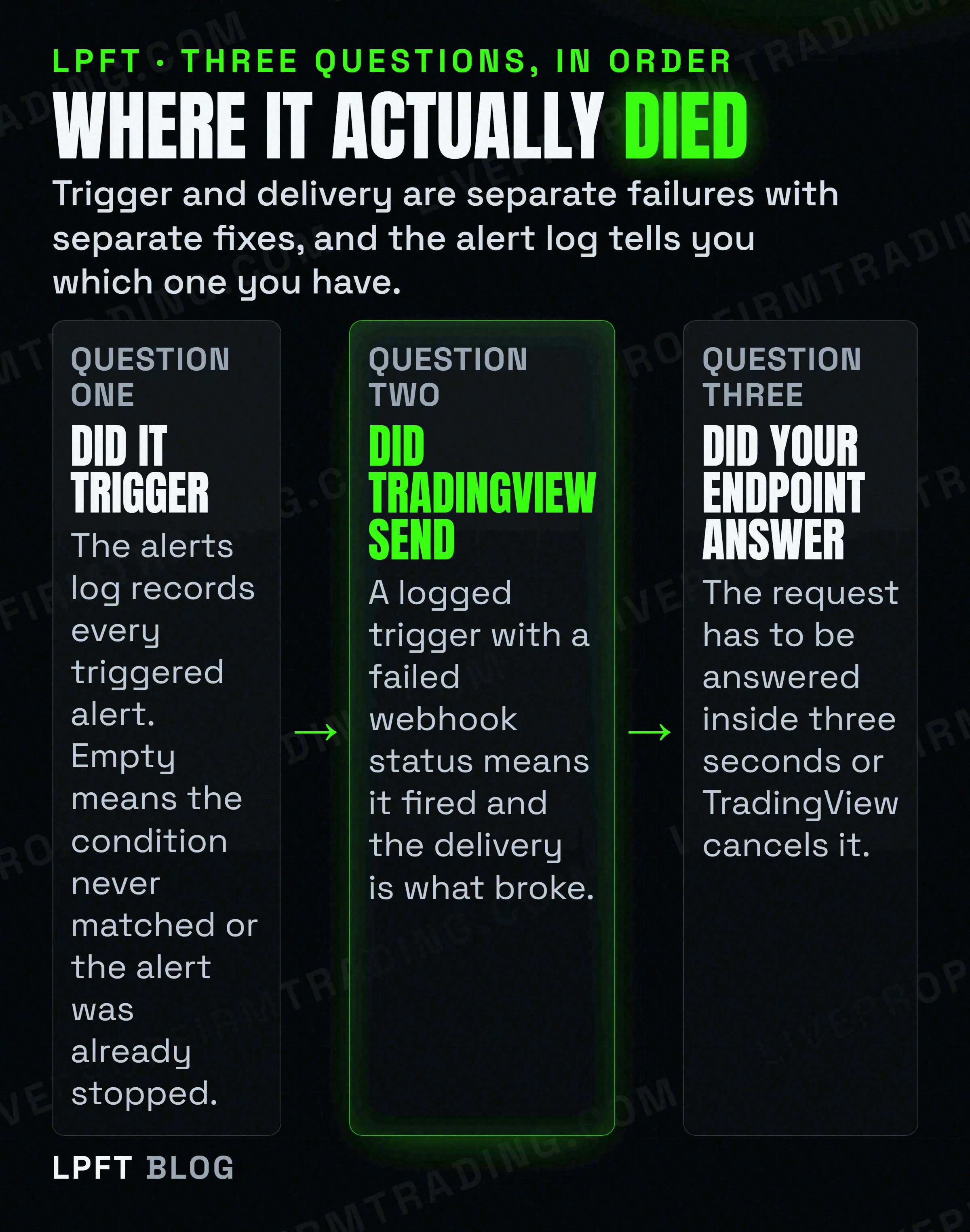
TradingView settles the first question for you, and the answer is already recorded. All triggered alerts are automatically added into the Alerts Log, and you can access your alert history anytime. Open it before you touch anything else.
Nothing in the log for the period you expected means the alert did not trigger, so the next four sections are yours. A trigger in the log means it fired and something downstream dropped it, so skip ahead to the delivery limits. The log also carries a Webhook status column, which tells you whether the POST succeeded.
The two month clock almost nobody resets
This is the single most common way a working automation dies quietly, and it is not a bug. It is a published limit.
TradingView states that alerts have an expiration period, after which they will automatically stop, and that the maximum lifetime of a standard alert is two months. For Premium and Ultimate plans an open-ended option is available, allowing the alert to remain active indefinitely.
So on the lower plans, the alert driving your system has a hard end date roughly two months after you created it. It does not warn you. It does not email you. It stops.
This is the trap inside the trap. TradingView have a support page for exactly this complaint, and the answer is that open-ended alerts are available for Premium and Ultimate plans only and that you still have to set it per alert. Open the create or edit alert window, go to the Expiration section, choose Open-ended, and save. Every alert created before you upgraded keeps its original two month clock, which is why upgrade day feels like the fix and is not.
There is a second expiry on a longer fuse. An alert is automatically deactivated when all three of these hold at once: it was created more than a year ago, it has not triggered for more than a year, and it has not been edited for more than a year. An alert is also turned off automatically when its Timer expiration setting is reached.
The useful part is that a dead alert has a visible, named state rather than just sitting there looking normal. TradingView's wording: a triggered alert with the Only once setting has an orange Stopped and Triggered status, a manually disabled one has a grey Stopped manually, and an expired alert has a red Stopped and Expired status. If you are running anything unattended, that list is the thing to glance at daily.
If an alert has to stay alive without someone renewing it every two months, the open-ended option is the only mechanism TradingView offers, and it sits on the higher plans. Worth checking which tier you are actually on before you build anything that assumes permanence.
Check TradingView plans →It did not break. It fired too much, so it was stopped.
This one catches people whose alert worked perfectly, which is what makes it so confusing. There is a ceiling on how often an alert may trigger, and crossing it stops the alert.
TradingView's wording for a normal alert is as plain as it gets. For regular alerts, no more than fifteen triggers in three minutes. Their Pine Script documentation states the same rule from the other side: if more than fifteen alerts occur within three minutes, the system automatically halts further alerts.
Watchlist alerts have their own pair of limits. The overall limit is no more than a thousand triggers in three minutes for the entire watchlist alert, and the limit for each watchlist symbol is no more than fifteen triggers in three minutes. If one symbol hits its ceiling, the alert for that symbol stops while the watchlist alert itself keeps running. If the total reaches a thousand, the entire watchlist alert is stopped along with every symbol in it.
TradingView's own remedies are to change the alert trigger condition, or to reduce the number of symbols in the watchlist. Both of those are really the same advice: stop asking the alert to fire that often.
Alert frequency is where it comes from. Only the Once per bar close option waits for a bar to finish. Once only, Once per bar, and Once per minute or every time can all fire on a bar that is still forming, which on a fast instrument is how you get fifteen triggers inside three minutes without writing a bad condition. The four options are covered in the TradingView alert that triggers a trade.
The quota you crossed without changing your plan
A lot of people are told they hit their alert limit, check their plan, see they are well under it, and conclude the platform is broken. It usually is not. The limit is not one pool.
TradingView states that all alerts are divided into three types, Price and Technicals and Watchlist, and each type has its own separate cap. You can be nowhere near your price alert limit while your technical alert limit is completely full.
The definitions are where it gets genuinely useful, because they explain how an alert changes category without you intending it.
| Type | What makes an alert this type | Why it matters |
|---|---|---|
| Price | Only a symbol and a price value are used, on any type of chart, and the trigger condition is one of Crossing, Crossing Up, Crossing Down, Greater Than or Less Than. | This is the cheap category, and it is narrower than most people assume. Both conditions have to be true at once. |
| Technicals | The alert uses an overlay symbol, an indicator, a drawing or a strategy. Or the condition is one of Entering, Exiting, Inside or Outside Channel, Moving Up, Moving Down, Moving Up percent or Moving Down percent. Or the alert has multiple conditions. | Any automation alert is almost certainly in here. Adding an indicator or a second condition moves it out of the price pool. |
| Watchlist | An alert applied across a watchlist rather than a single chart. | Smallest allowance of the three, and it carries the extra per-symbol and overall trigger ceilings described above. |
The practical consequence is worth stating plainly. The moment you add an indicator to an alert, or give it a second condition, it stops competing for space with your price alerts and starts competing with every other technical alert you own. The exact counts per plan live on TradingView's own alerts pages and they have changed more than once, so read them there rather than trusting a number in any article, including this one.
Your alert is a frozen snapshot, which is the opposite of what you have been told
Nearly every page ranking for this problem says some version of the same thing: if you modify or remove the indicator, the alert becomes orphaned and breaks. It is repeated so often that it sounds like documentation.
TradingView's Pine Script documentation says the opposite, and the real behaviour is worse because it is silent.
Their wording: when a user creates an alert using the Create Alert dialog box, that action saves a snapshot of the script, its inputs, and the current chart's context on TradingView's servers. And then the sentence that matters: any changes to the script, its inputs, or the user's chart do not affect that created alert.
So the alert does not break when you edit the indicator. It keeps running the version you had when you created it. You fix a bug, you adjust an input, you change the chart timeframe, and the alert carries on executing the old logic with the old settings. Nothing errors. Nothing warns you. The behaviour you are debugging is a snapshot of a script that no longer exists.
That reframes the symptom completely. If an alert is firing at moments your current chart cannot explain, the question is not what is wrong with your code. It is when you created that alert, and what the code looked like on that day. The fix is not a repair, it is a deletion: remove the alert and create it again against the current script.
It also means a tidy habit pays for itself. Every time you change a script that drives an alert, recreate the alert as part of the same job, or accept that you now have two versions of your logic running and only one of them is on your screen.
If a bot depends on the alert, two more layers can stop it
The webhook has limits of its own
A webhook alert is a plain HTTP POST that TradingView sends from its own servers when the condition triggers, and it has to live inside published constraints. Webhook alerts are only allowed when two factor authentication is enabled. Requests go to ports 80 and 443 only. IPv6 is not supported. And the one that bites hardest: the request has to be answered inside three seconds, or it is cancelled.
That three second window is why a slow endpoint looks exactly like an alert that never fired. The alert log will show the trigger, and the Webhook status column will show you the delivery result, which is how you tell the two apart in about ten seconds. The mechanism end to end is in TradingView webhooks explained, and the broker side is in how to send a TradingView webhook to a broker.
A Pine script can stop its own alerts
Three documented script-level causes, each of which produces silence rather than an error message you would notice.
- A runtime error kills them. TradingView states that if a script instance raises a runtime error at some point during its executions, alerts from that instance cannot fire, because the error stops the script from continuing to execute its code. Their listed causes include storing more than a hundred thousand elements in a collection, reading a collection at an out of bounds index, referencing history outside the allocated buffer, and loops that take longer than five hundred milliseconds.
- An alertcondition call inside a strategy creates nothing. Their wording is that while the presence of alertcondition calls in a strategy script will not cause a compilation error, alerts cannot be created from them. The script compiles, you see no warning, and the alert you are waiting for was never creatable. The two script kinds are compared in Pine Script strategy versus study.
- An alert function overrides your dialog choice. TradingView states that unlike standard alert types, the triggering frequency and the specific message sent are controlled entirely by the alert function calls within the script's code, not by the settings in the alert dialog box. Choosing Once per bar close in the dialog does nothing to a script driven that way.
And it may have fired at a moment the chart no longer shows
TradingView documents two cases that feel like malfunctions and are not. Alerts on indicators set to anything other than Once per bar close can trigger during bar building, and since the high, low and close change while a bar builds, the values of indicators that depend on them change too. So an indicator can cross a level mid-bar, fire the alert, and move back before the close, leaving a finished chart that shows no reason for the alert you received. The same mechanism makes an alert fire later than expected when the crossing point moves as the bar forms.
Their alerts documentation adds the general version: if an alert fires at a different time than expected, repainting might be the cause. That is a deep subject with its own tiers and it is covered in TradingView backtest repainting rather than repeated here.
The order to check things in
- Open the alerts log. If the trigger is not there, it never fired and you are looking for a reason it was stopped. If it is there, your problem is delivery.
- Read the alert's status. Stopped and Expired, Stopped manually, or Stopped and Triggered each name a different cause, and none of them is a code problem.
- Check the expiration. A standard alert lives two months. Open-ended is a Premium and Ultimate option and it has to be set on each alert, including after an upgrade.
- Ask whether it fired too often. More than fifteen triggers in three minutes stops a regular alert. If your frequency is anything other than Once per bar close, this is live for you.
- Check the right quota. Price, Technicals and Watchlist are separate pools, and adding an indicator or a second condition moves an alert between them.
- Ask when you created it. The alert runs a server-side snapshot of the script and inputs as they were that day, so delete and recreate it after any script change.
- Then look at delivery. Two factor authentication on, ports 80 or 443, no IPv6, and an answer from your endpoint inside three seconds.
Worth being honest about what fixing all of this gets you. A reliable alert is plumbing, not an edge, and trading futures involves substantial risk of loss whether your notifications arrive or not. An alert chain that silently stops is dangerous mainly because it hides which of those two things went wrong.
And if the reason you are reading this is that something unattended has to keep running, the honest question is whether a chart alert is the right foundation for it at all. Where the code actually runs is covered in do you need a VPS for automated trading, and the chart-type decision underneath all of it is in time-based versus price-based charts.
Frequently asked questions
Check the alerts log first, because it records every triggered alert. If the trigger is missing, the alert did not fire, and the documented causes are expiry after the two month standard lifetime, being stopped for exceeding fifteen triggers in three minutes, a full quota for that alert type, or a script runtime error. If the trigger is in the log, the condition worked and the delivery failed.
TradingView states that the maximum lifetime of a standard alert is two months, after which it automatically stops. An open-ended option that keeps an alert active indefinitely is available on Premium and Ultimate plans only, and it has to be selected in the Expiration section of each alert. Alerts are also deactivated automatically if they were created over a year ago, have not triggered for over a year, and have not been edited for over a year.
Yes. TradingView states that for regular alerts the limit is no more than fifteen triggers in three minutes, and their Pine Script documentation adds that the system automatically halts further alerts if more than fifteen occur within three minutes. Watchlist alerts have a thousand trigger ceiling overall and fifteen per symbol. Their suggested remedies are changing the trigger condition or reducing the number of symbols.
No, and this is where most troubleshooting advice is wrong. TradingView states that creating an alert saves a snapshot of the script, its inputs and the chart context on their servers, and that any changes to the script, its inputs or the chart do not affect that created alert. The alert keeps running the old version silently, so after changing a script you should delete the alert and create it again.
Because of the alert frequency setting. Any option other than Once per bar close can trigger while a bar is still forming, and TradingView notes that since the high, low and close change during bar building, indicator values that depend on them change too. An indicator can cross a level mid-bar, fire, and move back before the close, leaving a finished chart that shows nothing.
Check the Webhook status column in the alerts log, which separates the trigger from the delivery. TradingView requires two factor authentication for webhook alerts, sends only to ports 80 and 443, does not support IPv6, and cancels the request if it is not answered within three seconds. A slow endpoint is the most common cause and it looks identical to an alert that never fired.
Eli Y.
Eli builds and runs rules-based automated futures systems on TradingView and Tradovate, and helps traders take emotion out of the screen. He writes about futures automation, prop-firm evaluations, and the tools that connect them - plainly, and without hype.
Risk disclosure: Trading futures involves substantial risk of loss and is not suitable for everyone. This article is educational content only and is not financial advice or a recommendation to trade. Past performance is not indicative of future results. Some links are affiliate links.