
TradingView to NinjaTrader: We Moved a Live Bot, and Checked Every Signal

Heads up: some links below are affiliate links. If you sign up through them we may earn a commission at no extra cost to you - it never changes what we recommend.
Yes, and it is worth proving rather than trusting. Running the strategy natively in NinjaTrader removes a paid TradingView plan and the alert that had to stay alive. Before switching, run both platforms at once on live markets and compare every signal.
The LPFT Copilot runs a tested, rules-based method on your own prop firm or futures account and reports what the broker actually filled. Start a 7-day free trial and watch how it behaves before anything is riding on it.
Start your 7-day free trialTradingView to NinjaTrader: what changes when the strategy itself moves
Search for how to get from TradingView to NinjaTrader and almost every result on the first page is written to sell you a connector. The premise is always the same. TradingView stays the brain, NinjaTrader becomes the hands, and a bridge somebody charges for sits in the middle. That is one of the two moves available, and it is not the one this page is about.
The other move is to stop sending signals out of TradingView at all and run the strategy natively inside NinjaTrader. Different job, different things that can break, and almost nobody writes it up, because there is nothing to sell at the end of it.
We did the second one in October 2026. The LPFT bot used to live on a TradingView chart and send an alert out to a URL. It now runs inside NinjaTrader on the member's own Windows PC, and the LPFT Copilot places the orders on their prop firm account or their own account. What follows is what we checked, in the order we checked it, and the limits worth knowing before you copy any of it.
Keeping TradingView as the signal source and relaying its alerts into NinjaTrader is a plumbing job. Rebuilding the strategy so it runs inside NinjaTrader is a rewrite, and it has to be checked like one. Both get called moving to NinjaTrader, which is why so much advice on it answers a question you were not asking.
If you are still deciding whether TradingView alone can place the trade, that part is settled separately in whether TradingView can place trades by itself. This page assumes you already have something automated and running.
The weaknesses first, because they decide whether to move at all
Nothing below is a reason to move. These are the reasons not to, and they are easier to find out now than three weeks in.
- It needs Windows. The NinjaTrader desktop platform is a Windows application and there is no native Mac version. Mac owners run it inside a Windows virtual machine, which their own support material treats as something clients do rather than something officially supported. That is one more layer to maintain and one more thing that can be the reason your session did not start, so weigh it honestly before you plan around it.
- The strategy lives in an open chart on your machine. This is the real change in shape, and it is worth being precise about, because most write-ups get it wrong in one direction or the other. On a cloud bridge path no machine of yours is in the order path at all. With a strategy running natively, NinjaTrader's own NT8 help guide states that "when the chart containing the automated strategy is closed, the strategy will not persist", and that it "will be disabled and removed". Note what that does and does not mean. An order already accepted and working sits with the broker or the exchange, so closing the platform does not cancel it. But the logic that would have placed the next order, or managed the trade, is gone until you open the chart again. Closing a laptop mid-session is now a reason nothing further happens. Whether that means you need a rented machine is covered in whether you need a VPS for automated trading, and the answer is not automatically yes.
- Not every account can connect. Some prop firm platforms have a NinjaTrader connection and some do not. This is the single most important thing to check first, because it decides whether the rest of the plan exists for you at all. Check it on your own firm's help pages rather than on a comparison site, and read it the day you plan the move.
- Moving platforms does not improve a strategy. It is the same rules reading the same market. Ours still has losing days after the move, which you can see dated on the results page, red days included. A platform change is a cost and reliability decision, never a performance one.
Connection first, then Windows, then whether the machine can stay on through your session. If the connection is not there, nothing else on this page matters. People tend to check it last, after they have already rebuilt something.
Read that list again and notice that two of the four are new costs rather than savings. That is the honest shape of this move. It takes a subscription out and puts a running computer in.
What the move takes out of the setup
Now the other side. Three things left the setup, and only one of them is money.
The first is the paid plan. An automated setup on TradingView needs a tier that can send a webhook, because that outbound message is the thing the upgrade actually buys. Which tier, and what each one does or does not unlock, is worked out in TradingView free versus paid for automation. We deliberately do not print a price here, because TradingView's pricing page is localised and serves a different currency and a different number depending on where you open it. Go and read your own. The point is that the line item goes to zero, not what the line item was.
The second is the alert. A webhook setup depends on an alert staying alive on somebody else's servers, and TradingView's own help pages put the maximum lifetime of a standard alert at two months, with an open-ended option available on their higher tiers. So depending on the plan you are on, set and forget is either a recurring chore or one more setting you had to know to get right. Either way the day an alert lapses quietly is the day nothing fires and nothing tells you. The failure modes are catalogued in TradingView alerts not firing. A bot running on your own chart has no alert to renew.
The third is the chart setup, which was the quiet one. Members used to copy chart settings by hand from a setup guide, and a setting copied wrong produced a bot that looked like it was working. The current version assembles the chart data it reads internally, so there is no longer a settings screen for anyone to get wrong. That removed the most common support question we had.
Quoted from their own pricing page rather than from a comparison site, read on the 26th of October 2026: "NinjaTrader is always free to use for advanced charting, strategy backtesting, and simulated (paper) trading", with "no time limit and no funding required". That same page lists a Free tier at 0 dollars a month alongside paid Monthly and Lifetime tiers, and it states that to activate plan benefits "including real-time market data, trading access, and add-ons" an account has to be funded first. Whether your own prop firm connection carries a platform cost is a question for your firm and for NinjaTrader, so confirm it before you budget anything.
| The old setup needed | The new setup needs | What that changes |
|---|---|---|
| A paid TradingView plan, because a webhook needs a tier above the free one | No TradingView plan at all | One monthly subscription leaves the stack |
| An alert kept alive on servers you do not own, with a standard alert capped at two months | The bot running on your own chart | The recurring job of noticing an alert had stopped |
| Chart settings copied by hand out of a setup guide | Settings the bot applies to its own data | The most common setup mistake stops being possible |
| A Windows PC was optional, because the bridge ran in the cloud | A Windows PC that stays on through your session | This one is a cost the move adds, not a saving |
All of the above is work. If what you actually want is a tested, rules-based method already running on this setup, the LPFT Copilot places the orders on your own prop firm or futures account and reports what the broker filled.
Start your 7-day free trialHow we checked it before moving anybody
This is the part the search results do not cover, and it is the part that costs money when it is skipped. A rebuilt strategy is a new piece of software. The only question that matters is whether it does the same thing as the one you trust, and the only way to answer it is to run them both and look.
So before a single member was moved, we ran the NinjaTrader version next to the TradingView version on live markets for a full week, the 19th to the 23rd of October 2026. Nine sessions. Both platforms live at the same time, on the same market, with the new one recording what it would have done and sending nothing.
Across those nine sessions the two gave the same signals in every session. The trade record built from the NinjaTrader side matched the official record on the days we compared. That is the whole basis on which anybody was asked to switch.
It is evidence that two versions of the same rules agree with each other on the days they ran. It is not a forecast, and it says nothing about whether the strategy makes money. Agreement between two platforms and a good outcome in the market are completely separate questions, and this test only answers the first one.
Two details mattered more than we expected. Running them at the same time rather than replaying history is what made the test real, because a replay agrees with itself by construction. And comparing signal by signal rather than by the day total is what would have caught a difference, because two setups can land on the same daily number having taken different trades. The same reasoning applies to paper testing in general, which is laid out in paper trading versus live bot testing.
The checklist for moving any automated strategy between platforms
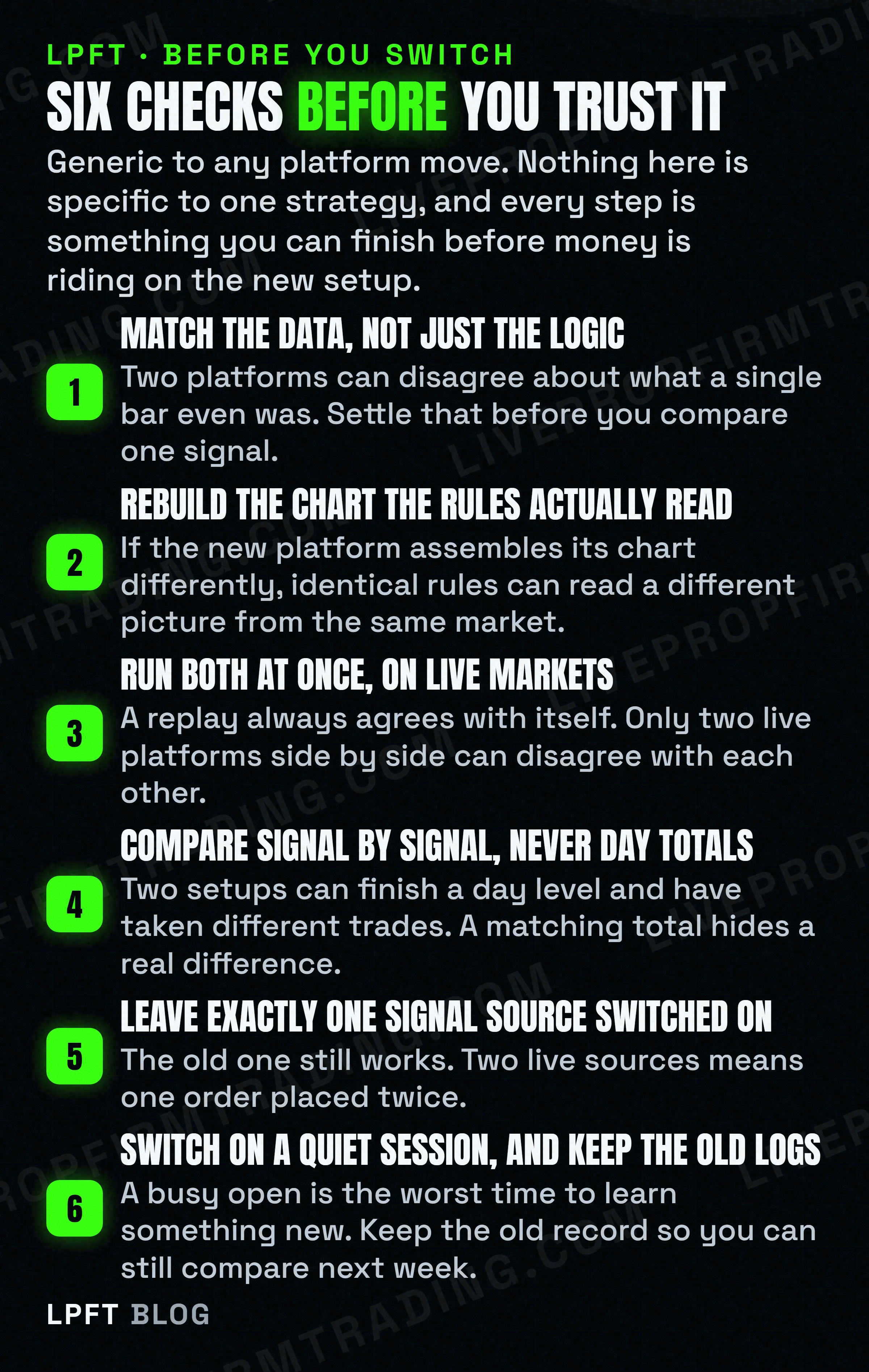
Strip out everything particular to us and the general version is below. It applies to any move between any two platforms, in either direction.
- Start with the data, not the logic. Two platforms can disagree about what a single bar was, because they can be fed differently and they can stamp the same moment differently. If the inputs do not match, nothing downstream is comparable and you will spend days debugging rules that were never the problem.
- Check how the new platform assembles the chart. Identical rules reading a differently assembled chart are not identical rules. This is the most common reason a faithful rewrite behaves differently, and it has nothing to do with the code.
- Mind the timing of orders and messages. When a platform decides, and when the order actually leaves, are two different clocks. Moving from a cloud service to software on your own desk changes both of them.
- Run the old and the new at the same time, on live markets. Side by side and simultaneous. A backtest or a replay is not this test, because it cannot surprise you the way a live session can.
- Compare signal by signal. Matching daily totals are not agreement. Line the two records up and read them against each other, and treat anything you cannot explain as unexplained rather than as noise.
- Keep exactly one signal source switched on. The most expensive mistake in the whole project is the cheapest to avoid. The old setup still works, so if you leave it running while the new one goes live, both fire and the order gets placed twice. Switch the old one off, and make sure nothing downstream will accept it if somebody switches it back on by accident.
That last one deserves its own sentence, because it is the only item on the list that can cost you money in a single session rather than cost you a day of debugging. Everything upstream can be fixed on a quiet afternoon. A duplicate order cannot be taken back.
If the account you are moving towards belongs to a prop firm, the rules you are running under are a separate matter from the platform you run on, and they do not always say what people assume. That ground is covered in running a trading bot on a prop firm account. Read your own firm's pages the day you plan the switch, because these change without anybody telling you.
Who should wait, and the part that does not change
Wait if your firm's platform has no NinjaTrader connection, because then this is not a decision you have yet. Wait if you cannot leave a Windows machine on through your session, since that is now load bearing. And wait if the only reason you want to move is that the current setup is not making money, because moving it will not fix that.
Move if you are paying for a plan whose only job is to send one message, if you are tired of an alert that has to be renewed on somebody else's timetable, or if you want fewer parties between a decision and an order. Those are cost and simplicity reasons, and they are the honest ones.
The part that does not change is the only part that was ever yours. Trading futures involves a substantial risk of loss and is not suitable for every investor. No method can be shown to work in advance, no platform makes one safer, and a strategy that agrees with itself across two platforms has told you about its plumbing and nothing about the market. Test anything new in simulation first, on your own account, and let it earn the trust before it gets to place an order.
The LPFT Copilot runs the whole stack for you on Tradovate - start a 7-day free trial and watch it work.
Start your 7-day free trialFrequently asked questions
Yes, and there are two separate versions of that project. You can keep TradingView as the signal source and relay its alert into NinjaTrader through a bridge, which is mostly a plumbing job. Or you can rebuild the strategy so it runs natively inside NinjaTrader and TradingView is no longer involved. The second removes the subscription and the alert, and it has to be verified like any rewrite, by running both versions at once on live markets and comparing every signal.
Not for the automation. A paid TradingView tier is what lets an alert send a webhook out to something else, so a setup that no longer sends webhooks no longer needs that tier. People often keep a plan anyway for charting or for other markets, which is a separate decision from the automation. Check the current tiers and prices on TradingView's own pricing page, since they are localised and change.
There is a free tier. NinjaTrader's own pricing page states that "NinjaTrader is always free to use for advanced charting, strategy backtesting, and simulated (paper) trading", with "no time limit and no funding required". The same page also lists paid Monthly and Lifetime tiers, and says that activating plan benefits "including real-time market data, trading access, and add-ons" requires a funded account. So "free" covers charting, testing and simulation outright, while live data and trading access depend on your plan and your connection. Whether a particular outside or prop firm connection carries any platform cost is a question to confirm with your firm and with NinjaTrader before you rely on it, and it is worth reading on the day you plan the move.
Not natively. It is a Windows desktop application, so Mac users run it inside a Windows virtual machine. Treat that as a real cost of the move rather than a detail, because the virtual machine becomes one more thing that has to be running and working before your session starts.
Run the old setup and the new one at the same time, on live markets, with the new one recording what it would have done and sending nothing. Then compare the two records signal by signal rather than by daily totals, because two setups can reach the same daily number having taken different trades. A replay or a backtest cannot do this job, since a replay agrees with itself by construction.
Both setups fire and the same order can be placed twice, which is the most expensive mistake available in a platform move and also the easiest to avoid. Switch the old signal source off before the new one goes live, and if anything downstream accepts incoming signals, make sure it will only accept them from one source so that switching the old alert back on by accident cannot double a position.
Eli Y.
Eli builds and runs rules-based automated futures systems on NinjaTrader and Tradovate, and helps traders take emotion out of the screen. He writes about futures automation, prop-firm evaluations, and the tools that connect them - plainly, and without hype.
Risk disclosure: Trading futures involves substantial risk of loss and is not suitable for everyone. This article is educational content only and is not financial advice or a recommendation to trade. Past performance is not indicative of future results. Some links are affiliate links.