
Trading Automation Tools for TradingView: Rank Them by Where They Run

Heads up: some links below are affiliate links. If you sign up through them we may earn a commission at no extra cost to you - it never changes what we recommend.
The main tools that execute TradingView alerts on a futures broker are TradersPost, PickMyTrade, Atomik and CrossTrade. They do the same job, so choose on two things: whether the tool reaches your broker, and where it runs the code. Where it runs matters because some funded-account rules are written about exactly that. Prices below were read on each vendor's own site on 25 October 2026.
The LPFT Copilot is the signal, the router and the risk rules in one piece, running a tested rules-based method on your own prop firm or Tradovate account. Start a 7-day free trial and watch it work.
Start your 7-day free trialEvery list of these tools is published by one of the tools
Search for TradingView automation tools and look at who wrote the first page of results. One is a bridge vendor's blog. Another is a bridge vendor's documentation. Another is a bridge vendor's blog again. They are not dishonest, but they are all answering "which tool is best" while selling one of the answers, which is the same structural problem whatever the industry.
We have the same problem, and we will state it now rather than bury it in a footer: TradersPost is our affiliate, so we earn something if you sign up through our link. That is exactly why the prices below are quoted from each vendor's own page rather than summarised, and why the recommendation at the end is an order of operations instead of a winner.
The useful thing nobody publishes is not a ranking. It is that these four products are close enough in function that the choice is usually settled by two constraints you do not control: which broker your account sits on, and what your prop firm says about where code may run.
Four tools, the price each one prints on its own site today, the brokers each one says it reaches, and where each one says the code runs. Plus the one distinction that stops a reader buying a tool they are not permitted to use.
What these tools actually do, which is narrower than "automation" sounds
All four are routers. A TradingView alert fires, it sends a message to the tool over a webhook, and the tool speaks the broker protocol and places an order. That is the entire job. None of them decides when to trade, and none of them improves a strategy that does not work.
This matters because the word automation gets used for the deciding and the executing interchangeably, and only one of those is in the box. If you do not already have rules you can write down, a router will carry out a vague idea at machine speed, which is not an improvement. The mechanics of the alert leg are in TradingView webhooks explained, and the reason the router exists at all is in can TradingView place trades by itself.
One more thing worth saying plainly, because a lot of tool pages let you assume otherwise: a Pine script that draws the signal and a Pine strategy that reports a backtest are both just producing a message. The order is placed by whatever is on the other end of the webhook. Picking the tool is picking the other end.
The four tools, with prices read on each vendor site today
Every figure below is as printed on that company's own page on 25 October 2026, with the billing basis attached, because the headline number on a pricing page is often the yearly-billed equivalent rather than what a month actually costs.
| Tool | Price as printed | Reaches, per its own page | Where it runs |
|---|---|---|---|
| CrossTrade | $29, $49 or $99 a month, 7-day trial, no card | NinjaTrader 8 and Tradovate | Hybrid. NinjaTrader 8 executes locally, Tradovate routing in their cloud |
| PickMyTrade | $50 a month, $135 a quarter or $500 a year, 7-day trial | Tradovate, Rithmic, Interactive Brokers, TradeStation, TradeLocker, ProjectX, Matchtrader | Their words: a cloud-based trading automation service |
| Atomik | $89, $129 or $349 a month, or $890, $1,290 or $3,490 a year | Tradovate, TopstepX and Interactive Brokers | Their words: strategies run on Atomik servers, around the clock |
| TradersPost (our affiliate) | $41.65, $84.15, $169.15 or $254.15 a month billed yearly, plus a free tier | Tradovate, and prop accounts through Tradovate and ProjectX | Cloud |
Two notes on reading that table. TradersPost prints those figures as the per-month cost when you pay for a year, and we have never been able to read its month-to-month sticker price, so treat the four numbers as the annual-commitment rate. And Atomik prints both a monthly and a yearly figure, which is why its row has six numbers instead of four.
The broker column is the one that most often ends the decision before the price does. If your account is on Rithmic, two of these four never enter the conversation. If your account is on NinjaTrader 8, only one does. A deeper look at the router category, including the ones not listed here, is in TradersPost alternatives.
TradersPost publishes which connections it uses to reach prop accounts and states plainly that following each firm's rules is your responsibility. It has a free tier so you can see the plumbing work before paying. Read its page alongside your firm's rules page, not instead of it. Futures trading carries a substantial risk of loss.
See TradersPostThe spec no list ranks by, and the one that can cost you an account
Look at the last column of that table again. Three of these four run your automation on their infrastructure, and they market that as the headline benefit. No VPS, nothing to install, runs while your laptop is shut. For a personal brokerage account that is genuinely convenient.
On a funded account it can be the opposite of a benefit. Topstep states on its own help site, read on 25 October 2026, that "All trading activity must originate from your personal device. The use of VPS, VPNs, and remote servers is prohibited by Topstep's Terms of Use." The same page states the consequence: "Running automation on a VPS can result in account suspension or removal from the program." A private server may do research and logging, because "your server can watch and record, but it cannot trade."
Now hold that beside Atomik's own page, which states that "Strategies run on Atomik's servers, around the clock" and lists a TopstepX connection. Both of those sentences are published by the companies that wrote them, and we are not going to resolve them for you, because only Topstep can say how its own rule applies to a specific arrangement. We are telling you the two sentences exist and that you should ask before you connect anything.
We are not saying any vendor breaks any firm's rules. We are saying that "where the code runs" is a published spec on every tool page, that it is also a published rule on some firm pages, and that nobody puts those two columns in the same table. Put them in the same table yourself before you pay for either.
If the hosting question is the one you are actually stuck on, it has its own page: do you need a VPS for automated trading. The Topstep specifics are in Topstep automated trading rules.
A connection is not a permission, and the gap is provable
Most of these tools publish a list of prop firms they work with, and readers reasonably take that as a sign the firm is fine with it. It is not that. A vendor listing a firm means a technical connection exists. Whether the firm permits a bot to use it is a separate claim that only the firm can make.
There is a clean example sitting on the first page of results right now. One tool's own FAQ lists Take Profit Trader among firms that allow automated trading and rates fully automated bots there as generally yes. Take Profit Trader's own Universal Trading Policies, read on their help centre on 25 October 2026, open with this, verbatim: "#1: No Trading Bots or Algos. Automated trading systems, bots, or algorithmic execution tools are not permitted." Their PRO rules add "All trades must be manually executed by the trader."
That is not a gotcha about one vendor. It is the whole reason to check the firm yourself. A compatibility list is an engineering fact about what plugs into what, maintained by someone with no access to another company's rulebook and no reason to notice when it changes.
- What a vendor can tell you. Which brokers and platforms its software speaks to, what it costs, and where its code runs. All three are verifiable on their page.
- What only the firm can tell you. Whether a bot may originate an order on your account, at which stage, and from which machine. None of that is on a vendor page.
- What neither can tell you. Whether your strategy is any good. That is a separate problem and no tool on this list touches it.
The firm-by-firm picture, sourced the same way, is in prop firms that allow automated trading.
The LPFT Copilot runs the whole stack for you on Tradovate - start a 7-day free trial and watch it work.
Start your 7-day free trialHow to actually choose, in the order that saves money
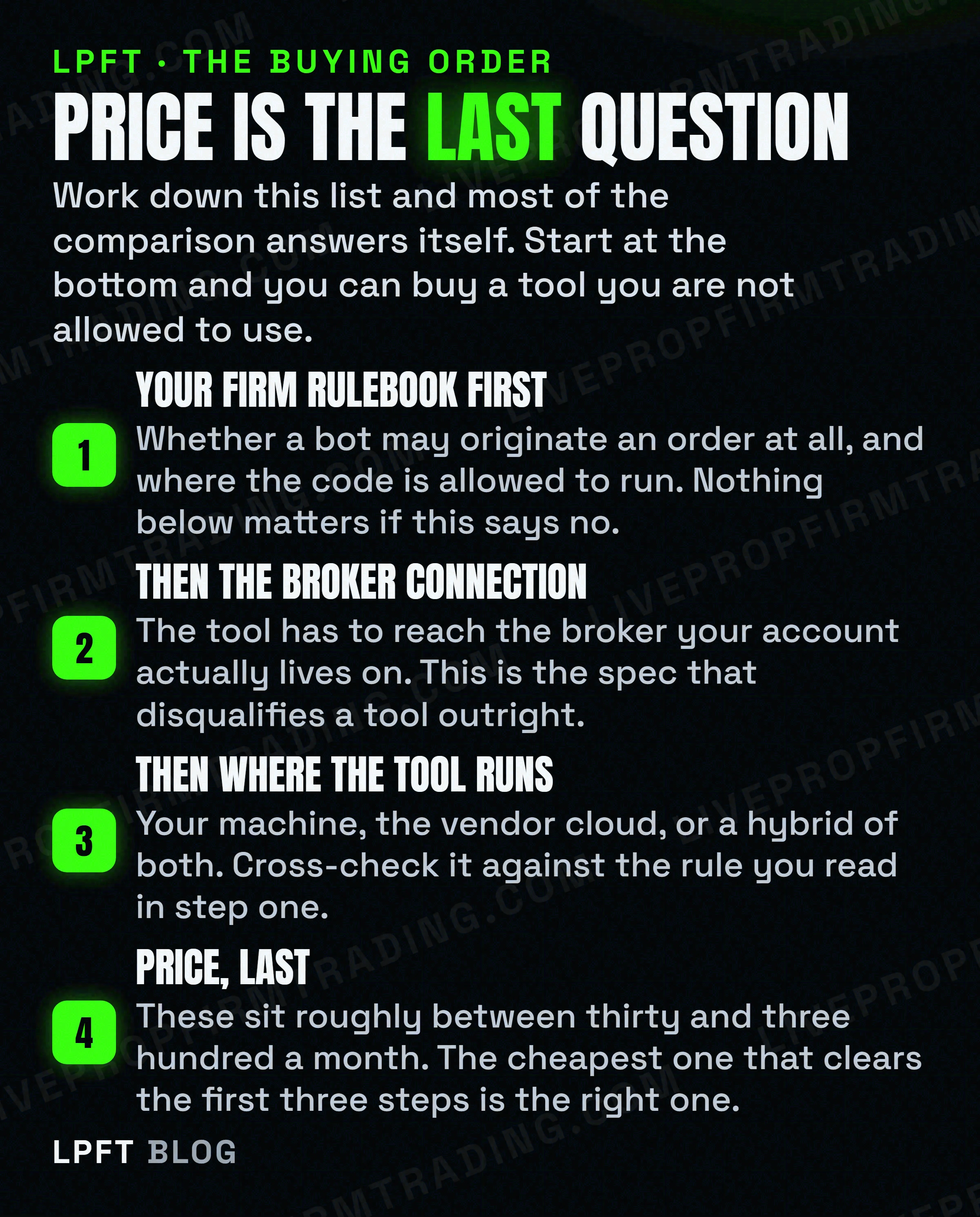
The figure above is the whole method, and it is deliberately backwards from how these comparisons are normally written. Here it is as something you can do this afternoon.
- Open your firm's rules page and search it for "bot" and "automated" separately. If the answer is no, you have saved yourself the rest of this list.
- Write down which broker your account is actually on. Tradovate, Rithmic, NinjaTrader, ProjectX. Then cross out every tool in the table that does not name it.
- Check where each survivor runs the code, and hold it against the rule you read in step one. Ask the firm if the two sentences do not obviously agree.
- Only now compare price, and compare like with like. A yearly-billed monthly figure is not a monthly price, and most of these have a free trial that costs nothing to use.
- Test the whole path on paper before any of it touches money. Alert fires, message arrives, order appears, position closes. Watch it end to end at least once.
- Also check your TradingView plan. The alert leg has its own requirement, covered in TradingView free vs paid.
If you work through that and conclude you would rather not own four moving parts at all, that is a legitimate answer and it is the one we built our product around. The full wiring, if you do want to build it, is in how to send a TradingView webhook to any broker.
Futures trading carries a substantial risk of loss, and none of these tools reduces it. A router makes a decision arrive faster and more consistently, including a bad one. Test in simulation first, read your own firm's current rules before you connect anything, and re-read both the tool page and the firm page at renewal, because every number and every rule on this page can change without an announcement.
The LPFT Copilot runs the whole stack for you on Tradovate - start a 7-day free trial and watch it work.
Start your 7-day free trialFrequently asked questions
The main tools that execute TradingView alerts on a futures broker are TradersPost, PickMyTrade, Atomik and CrossTrade. They do substantially the same job: receive a webhook from a TradingView alert and place the corresponding order at your broker. Because the function is so similar, the practical choice usually comes down to which one connects to the broker your account is on and whether your account rules allow code to run where that tool runs it.
As printed on each vendor site on 25 October 2026: CrossTrade lists $29, $49 or $99 a month. PickMyTrade lists $50 a month, $135 a quarter or $500 a year. Atomik lists $89, $129 or $349 a month, or $890, $1,290 or $3,490 a year. TradersPost lists $41.65, $84.15, $169.15 and $254.15 per month billed yearly, plus a free tier. Most offer a short free trial.
Several publish lists of prop firms they connect to, but a connection and a permission are different claims. The vendor can tell you which brokers and platforms its software speaks to. Only the prop firm can tell you whether a bot is allowed to place orders on your account, at which stage, and from which machine. Read the firm rules page before you rely on any vendor compatibility list.
Usually not, because most of these tools run in their own cloud, which is why they advertise that no VPS is needed. On a funded account the picture can invert. Topstep states on its own help site that all trading activity must originate from your personal device, that VPS, VPNs and remote servers are prohibited by its Terms of Use, and that running automation on a VPS can result in account suspension or removal from the program.
No. All four are routers. They receive a message your chart or script already generated and turn it into a broker order. None of them decides when to trade, and none of them improves a set of rules that does not work. If you do not yet have rules you can write down, a router will simply execute a vague idea faster and more consistently than you would.
All four name Tradovate, so on that broker the choice falls to the next constraints rather than the connection. Check what your account rules say about where code may run, since three of the four run in their own cloud and one is hybrid. Then compare price on a like-for-like billing basis and use the free trials, which cost nothing and show you the real plumbing.
Eli Y.
Eli builds and runs rules-based automated futures systems on NinjaTrader and Tradovate, and helps traders take emotion out of the screen. He writes about futures automation, prop-firm evaluations, and the tools that connect them - plainly, and without hype.
Risk disclosure: Trading futures involves substantial risk of loss and is not suitable for everyone. This article is educational content only and is not financial advice or a recommendation to trade. Past performance is not indicative of future results. Some links are affiliate links.