
Tradovate vs NinjaTrader: They Are the Same Company, So Compare the Automation

Heads up: some links below are affiliate links. If you sign up through them we may earn a commission at no extra cost to you - it never changes what we recommend.
Tradovate and NinjaTrader are two brands of one company. Both footers name NinjaTrader Group, LLC, and both sell identical plans at identical commissions. So price is not the deciding factor. The real split is where automation runs: NinjaScript inside an open chart on your PC, or the Tradovate API from anywhere.
The LPFT Copilot runs a rules-based method on your own prop firm or Tradovate account, with a 7-day free trial and no entry fee. Try it before you build anything.
Start your 7-day free trialThe comparison everyone is making no longer exists
Search this and you get nine results that treat it as a bake-off between two rival vendors. Which has better charts, which is cheaper, which is friendlier to beginners. Several of the results are VPS companies, which is worth noticing, because whether you need a rented Windows machine is one of the questions at stake.
Here is what none of the pages ranking for this query tells you. Open the footer of ninjatrader.com and it reads that NinjaTrader is a group of affiliated companies operating under NinjaTrader Group, LLC, including NinjaTrader, LLC and NinjaTrader Clearing, LLC doing business as NinjaTrader, Kraken Derivatives US, and Tradovate. Open the footer of tradovate.com and it is the same paragraph.
Tradovate own site goes further and says it out loud on the page itself. Get access to NinjaTrader with your Tradovate credentials. It is already yours. One login, two platforms. That is not a leak or an inference. It is the marketing.
We are stating present-tense ownership, because it is printed on both companies own footers today. We are deliberately not printing an acquisition price, date or deal story, because those figures come from news coverage rather than a filing we read, and this page only carries things we could read ourselves. Both platforms are actively sold on both sites, so nothing here says either brand is being retired.
The price and commission tables are the same table
We read tradovate.com/pricing and ninjatrader.com/pricing on the same day and the figures match on every row. If you were hoping one of them was quietly cheaper, that is the answer.
| Plan | What it costs | Micro and e-Nano, per side | Standard, per side |
|---|---|---|---|
| Free | No monthly fee | $0.39 | $1.29 |
| Monthly | $99 a month | $0.29 | $0.99 |
| Lifetime | $1,499 once, or four instalments of $499 | $0.09 | $0.59 |
Both pages add that exchange, clearing and NFA fees apply on top, which they do everywhere and which people routinely forget when they compare two commission schedules. Tradovate page also states that the plan includes access to NinjaTrader Desktop, Web and Mobile platforms, and that all Tradovate platforms are included with no licence fees.
So the plan you buy is not a vote for a brand. It is a commission tier on one clearing account, and it unlocks the software on both sides. Working out whether those per-side figures are small or large for your style is a different exercise, and the arithmetic is in how much it costs to trade micro futures.
The same footer states that the clearing entity is registered with the Commodity Futures Trading Commission as a futures commission merchant and is an NFA member, and it prints an NFA ID. You can look any NFA ID up for free in BASIC rather than taking a blog word for it, and that is the right habit with any firm holding your money. The wider version of that habit is in are prop firms legal.
The actual difference: where your automation runs
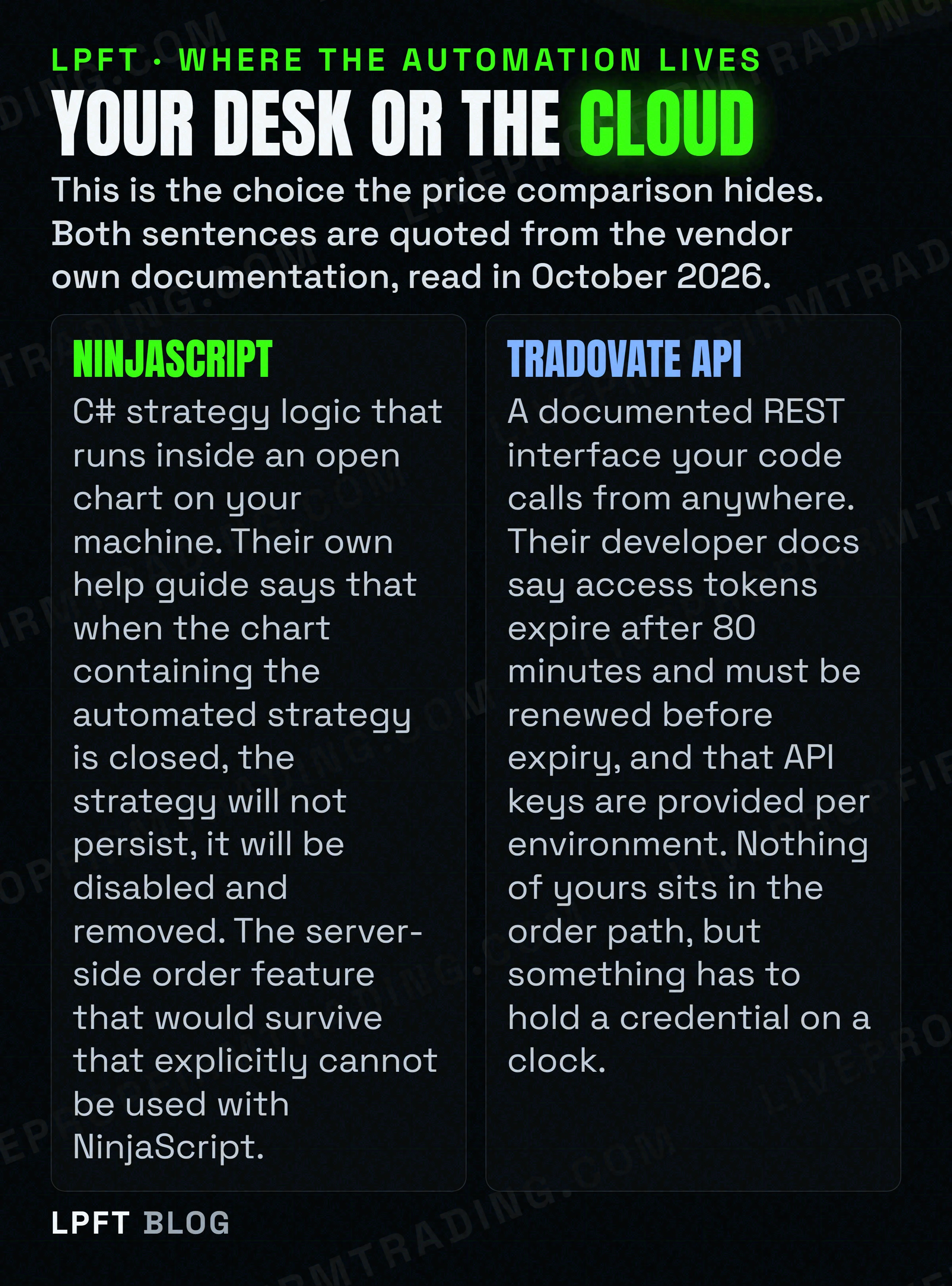
This is the comparison that matters and it is the one nobody writes. Both brands support automation. They support it in places that behave nothing alike.
NinjaScript lives in an open chart
NinjaTrader own NT8 help guide says that automated strategies always persist on a chart whenever it is open, even if Enabled is set to false inside the chart Strategies window. Then it says the part that decides your infrastructure. When the chart containing the automated strategy is closed, the strategy will not persist, it will be disabled and removed.
That is their documentation, not a forum post, and it is unambiguous. The strategy is a thing inside a window on a computer. Close the window and it is gone. Which is exactly why the top results for this query are VPS vendors, and why so many people conclude they have to rent a Windows machine.
The server-side feature does not cover NinjaScript
NinjaTrader does have server-side order management, and it is genuinely useful. Their Server Side versus Local ATMs page says server-side templates are saved to the server for use on any system you connect to, while local templates are saved to your local computer and are only available where saved.
But read the limits on that same page before you plan around it. Server-side ATMs are described as exclusive to the NinjaTrader connection, they are described as currently in beta and continuing to be developed, and the page own list of what they cannot do includes that they cannot be used with NinjaScript. They also cannot be used with local simulated and MIT orders, cannot be used with Playback, and cannot place bracketed orders with ATMs attached.
The platform the whole internet recommends for serious C# automation is the one whose automation is explicitly excluded from its own server-side feature. Your manually placed bracket can live on their server. Your strategy logic cannot. Those are two different things in two different places, and collapsing them into "NinjaTrader needs your PC on" gets it half wrong in a way that costs money.
The Tradovate API runs wherever your code does
The other door is an API. Tradovate developer documentation says access tokens expire after 80 minutes, that the token is sent as a bearer token in the Authorization header, and that you renew by calling renewAccessToken with your current token before it expires, using the expirationTime field for the exact expiry.
There is a caveat the enthusiastic posts skip. The same docs say you will be provided with a Staging API key for development and testing, then provided with a Production key when you are ready to go live, and that the production key should be beta tested for at least a week first. So this is a real, documented interface with keys issued per environment, not a self-serve toggle in your account settings.
We should be straight about what we did not read. The order placement request schema, the rate limits and whether concurrent sessions per credential are capped are not stated on the pages we read, so we are not describing them.
So which one, for what
Given that price is identical, the choice collapses into a question about your own setup rather than about the products.
| If this is you | The practical answer | The catch to plan for |
|---|---|---|
| You want to write C# and backtest inside one desktop app | NinjaTrader, because NinjaScript is a full development environment and the charting is the deeper of the two. | The strategy is removed when its chart closes, and the server-side order feature cannot cover it. Budget for a machine that stays on. |
| You want a browser and a phone and no installation | Tradovate, which is the lighter front end and was built for that. | Deep strategy development is not the job it is designed for. Serious rules go out through the API or a bridge. |
| You want the orders to survive your laptop closing | Tradovate through a cloud bridge or the API, because then nothing of yours is in the order path at all. | Something still has to hold and renew an 80-minute credential. That is the job you are paying a bridge to do. |
| You are trading a funded prop account | Whichever one your firm names in writing. This is not your decision to make. | Firms differ, and some bar remote servers outright. Read your own rules page before you choose a platform. |
Notice that the honest answer to the most common version of this question is not a brand at all. If what you want is for a system to keep working while you are asleep, you are not choosing between two front ends, you are choosing whether your computer is in the order path. That decision is covered properly in do you need a VPS for automated trading, and the TradingView route into Tradovate is in auto trading Tradovate from TradingView.
If you want the Tradovate side without writing a token renewal loop, a hosted bridge is the normal answer. TradersPost own docs say it does not require coding, that TradingView alerts and TradersPost both work in the cloud and independently of your computer, and that Tradovate is supported. You can paper trade free for 7 days.
Look at TradersPost →If this is for a funded account, the platform choice is not yours
Both quotes below were read on those firms own pages in October 2026, and they matter more than anything above, because they can override your preference entirely.
TradeDay states that to use an automated trading system you must use one of the platforms they support, naming NinjaTrader, Tradovate, TradingView, Jigsaw and Quantower. The same page says algos and bots purchased from a third party and employed by the trader are forbidden. So at that firm both of these platforms are on the allowed list, and what gets you removed is where the system came from rather than which software you opened.
Topstep says custom automated strategies and bots are allowed via the TopstepX and ProjectX API, subject to standard platform rules and their prohibition on high-frequency trading. It also says all trading activity must originate from your personal device, and that the use of VPS, VPNs and remote servers is prohibited by their terms of use. A private server may store data, research, backtest and log, but may not place, modify or cancel orders, and no automated trigger may reach the order endpoints.
A firm that requires every order to originate from your personal device has effectively ruled out the cloud answer, and pushed you back toward the desktop platform whose strategy is removed when the chart closes. A firm that forbids purchased third-party systems has ruled out buying your way out of writing one. Those constraints interact, and working out the combination for your own firm is the actual homework. No firm publishes a list of approved vendors, so never trust a page that tells you a specific product is approved somewhere.
The map of who allows what is in prop firms that allow automated trading, with the Topstep detail in Topstep automated trading rules and the speed question in HFT prop firms. LPFT only supports prop-firm connections that run through Tradovate, and not every firm exposes that API, so check yours first.
What we would tell a friend
- Stop comparing the prices. They are the same prices on one clearing account. Pick the commission tier that matches your volume and move on.
- Decide where the automation has to live. If it must survive your machine being off, the desktop strategy route is the wrong one and no plan upgrade changes that.
- If you choose the desktop route, plan for the chart staying open. That is an always-on machine and a real recurring cost. Do not discover it after you have written the strategy.
- If you choose the API route, decide who renews the token. Either you write and maintain that, or you pay a bridge to do it. There is no third option.
- Read your prop firm rules before either. Where the order must originate is the sentence most likely to make this decision for you.
- Test the whole path on paper first. Not the strategy, the path. The method is in paper trading versus live bot testing.
And the thing a platform comparison can never settle. Neither front end makes an idea work. Trading futures involves substantial risk of loss, a cleaner chart does not reduce it, and automation removes emotion rather than risk. The grounded version of that is in is automated trading worth it and why automated traders fail.
Frequently asked questions
Both companies own footers say they operate under the same parent. Read in October 2026, tradovate.com and ninjatrader.com carry the identical line that NinjaTrader is a group of affiliated companies operating under NinjaTrader Group, LLC, including NinjaTrader Clearing, LLC doing business as NinjaTrader, Kraken Derivatives US, and Tradovate. Tradovate site also advertises one login for two platforms.
It depends on where you need the automation to run, because price is identical. NinjaScript gives you a full C# environment, but NinjaTrader own help guide says a strategy is disabled and removed when its chart is closed, and its server-side order feature explicitly cannot be used with NinjaScript. The Tradovate API runs from anywhere, but its access tokens expire after 80 minutes and have to be renewed.
No. Read on both pricing pages in October 2026 the plans and commissions are identical: a free tier with no monthly fee, $99 a month, or $1,499 as a one-time payment, with micro and e-Nano commissions of $0.39, $0.29 and $0.09 per side by plan. Exchange, clearing and NFA fees apply on top of all of them.
You need something that keeps the chart open, because their help guide says an automated strategy will not persist when its chart is closed. A VPS is one way to provide that and it is why so many results for this comparison are VPS vendors. It is not the only way, and on a cloud bridge path into Tradovate there is no machine of yours in the order path at all. Some prop firms also ban a VPS outright, so check your firm first.
It has documented REST endpoints, but access is issued rather than self-served. Their developer docs say you will be provided with a Staging API key for development and testing, then a Production key when you go live, and that the production key should be beta tested for at least a week beforehand. Tokens expire after 80 minutes and are renewed with a renewAccessToken call.
That is what Tradovate own site advertises. Their page says to get access to NinjaTrader with your Tradovate credentials, that it is already yours, and that it is one login for two platforms. Their pricing page also states the plan includes access to NinjaTrader Desktop, Web and Mobile, with all Tradovate platforms included and no licence fees.
Eli Y.
Eli builds and runs rules-based automated futures systems on NinjaTrader and Tradovate, and helps traders take emotion out of the screen. He writes about futures automation, prop-firm evaluations, and the tools that connect them - plainly, and without hype.
Risk disclosure: Trading futures involves substantial risk of loss and is not suitable for everyone. This article is educational content only and is not financial advice or a recommendation to trade. Past performance is not indicative of future results. Some links are affiliate links.